I’m currently learning about assemblies and this might be a basic question, but I cannot figure it out. Alreaduy tried to get help from the VC courses, but it didn’t help.
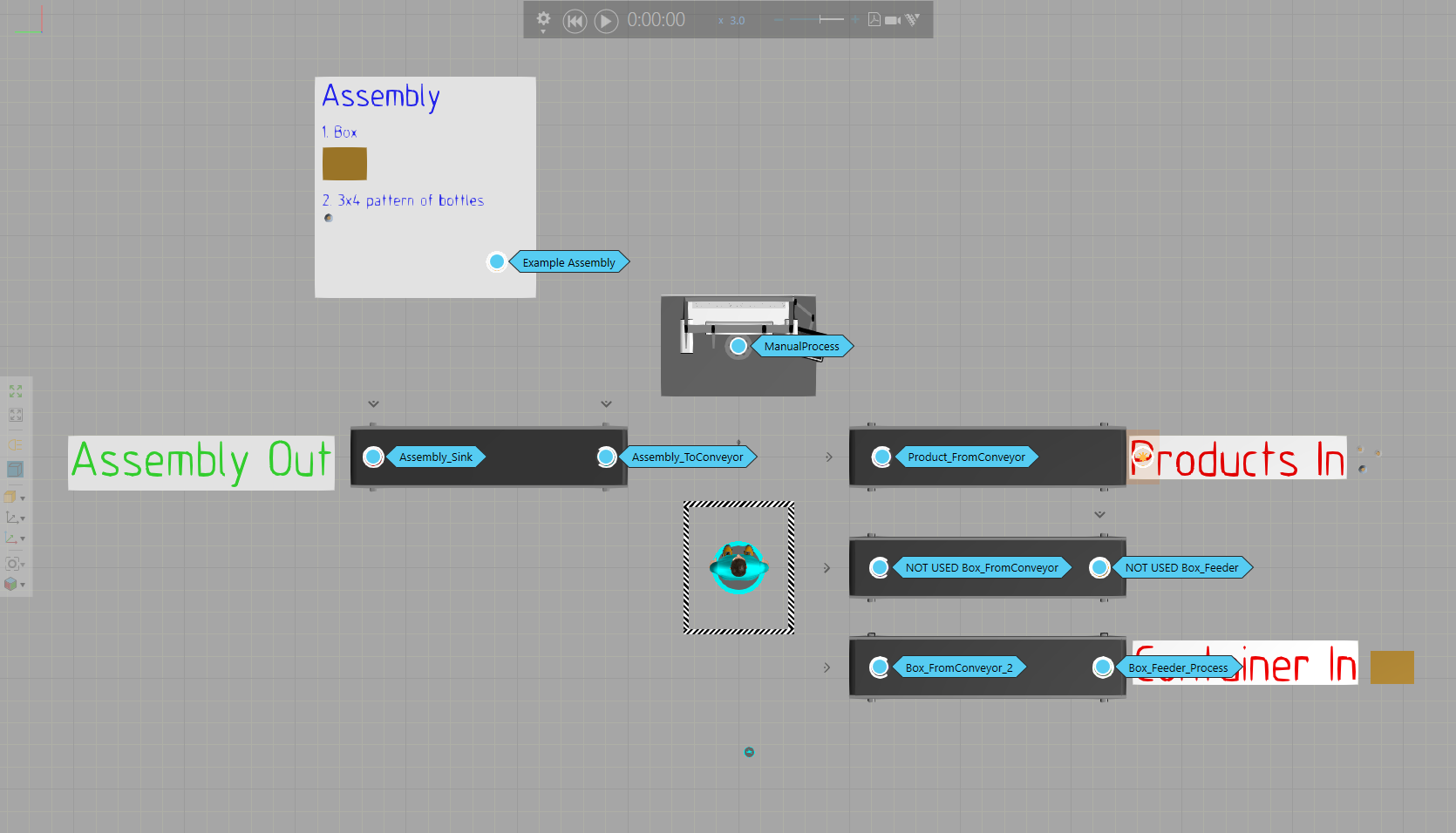
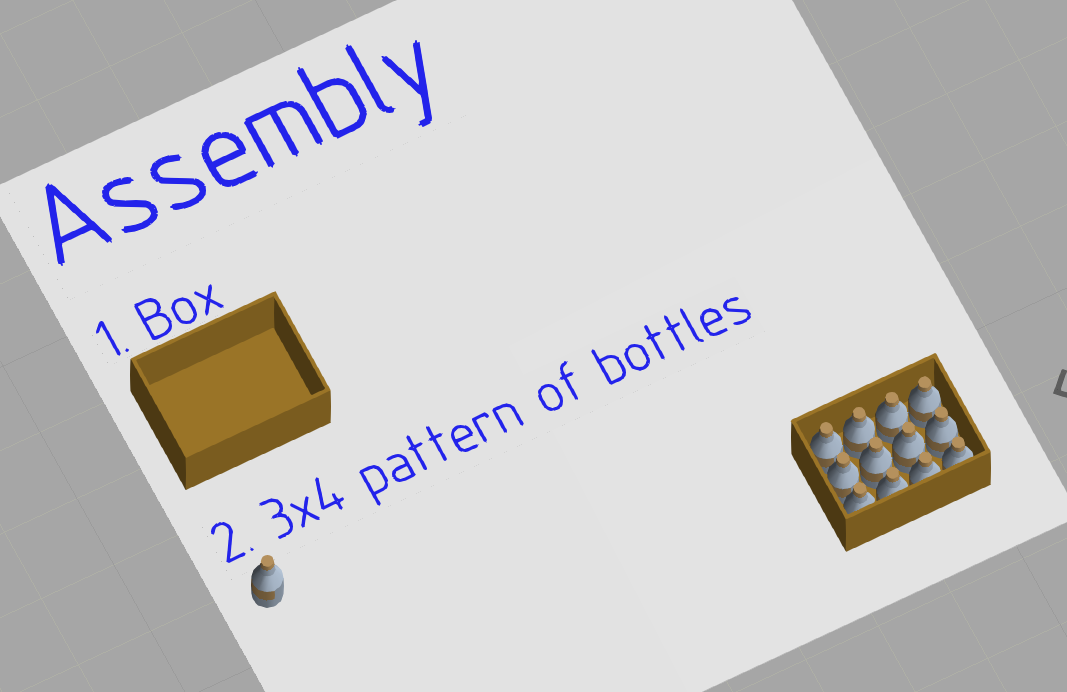
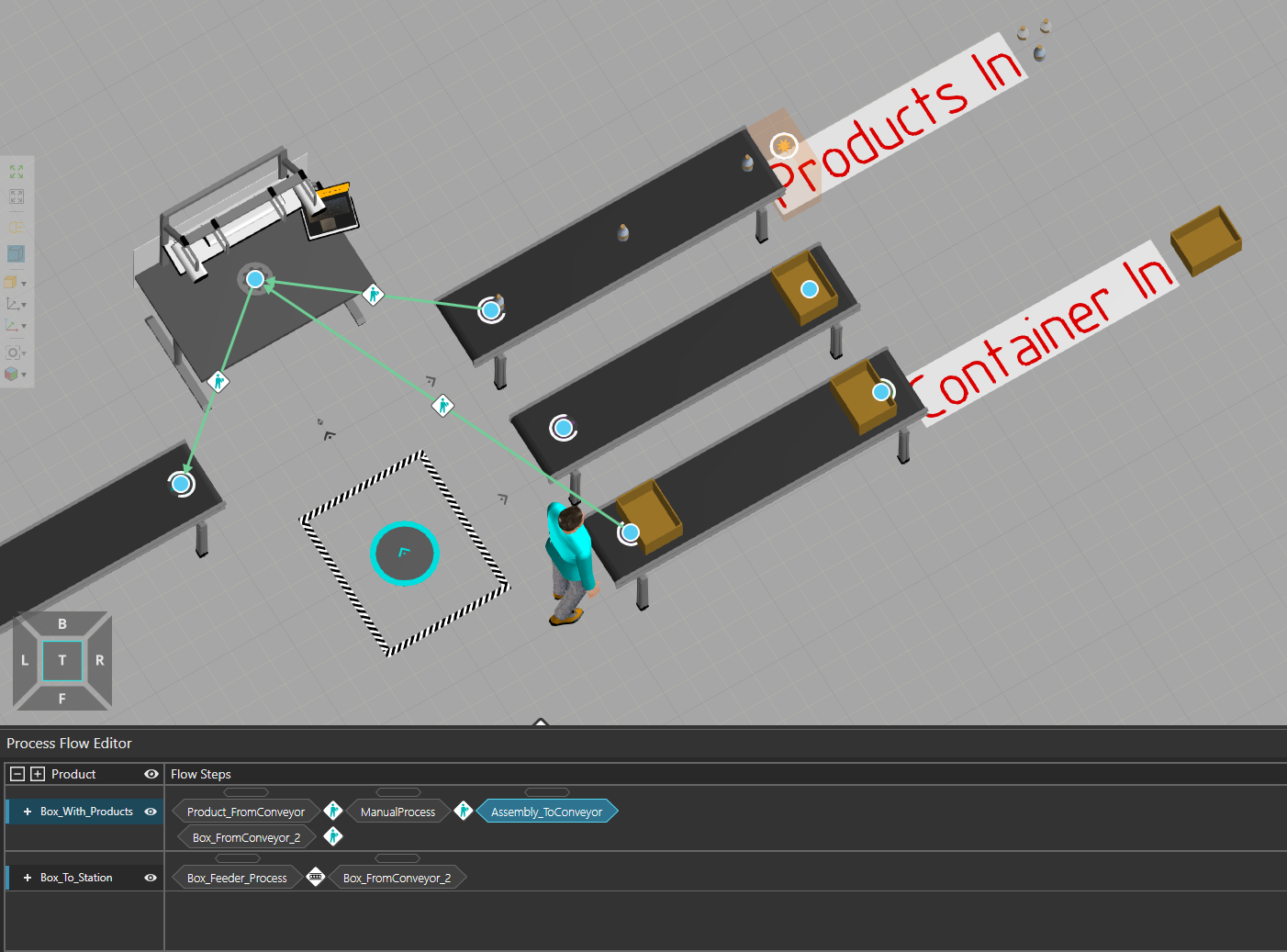
I’ve created a demo layout where the goal is for the worker to pack a quantity of products into a box, (essentially assemble an assembly). So essentially:
Take a box and put it on the workstation
Then, take as many products as there are in the assembly and put them in the same box
Once assembly is complete, take it to the output conveyor
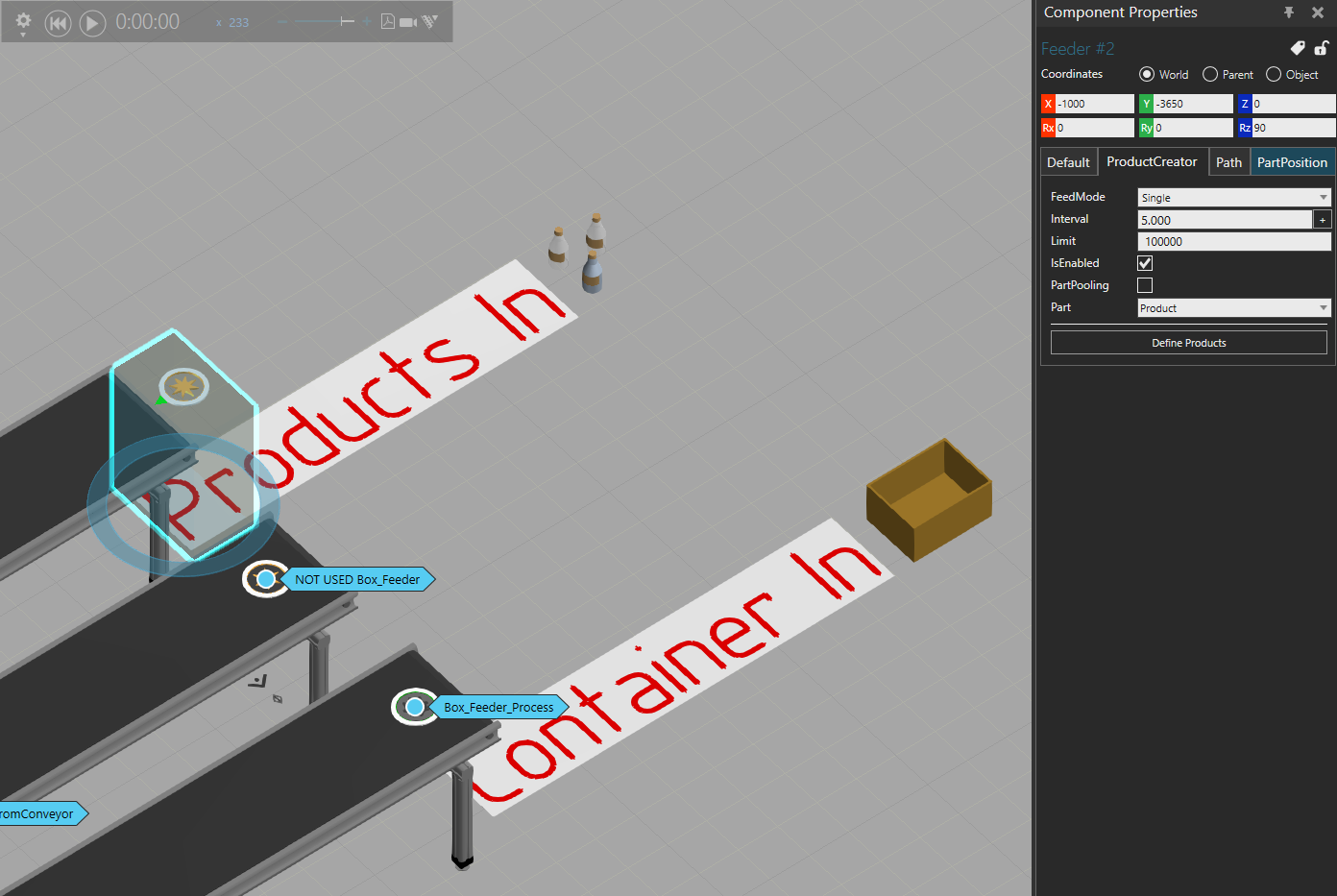
Question 2: if the result should be an assembly, is it right to feed in a product? Using a Feeder or a Feeder Process I didn’t see the possibility of feeding an assembly with just the initial step, for example.
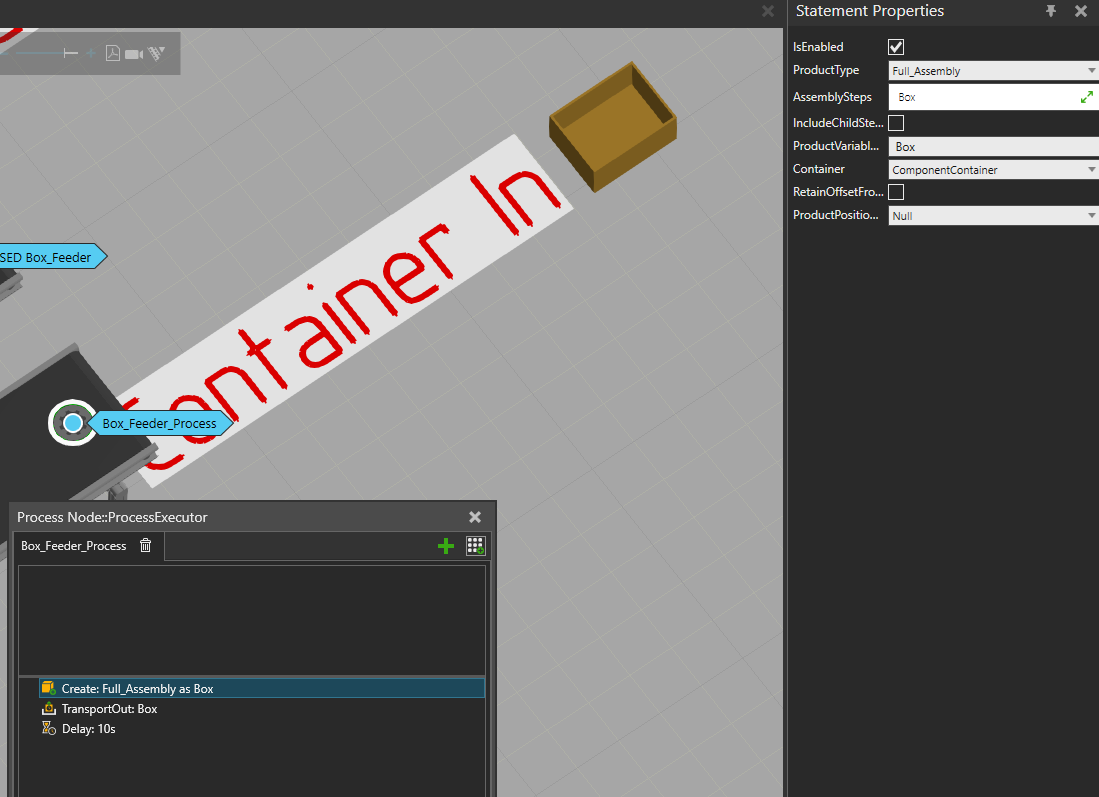
I found I can do this using a Process Node and a Create statement. Is this the right way to feed components in this case? What is the point of the feeder then?
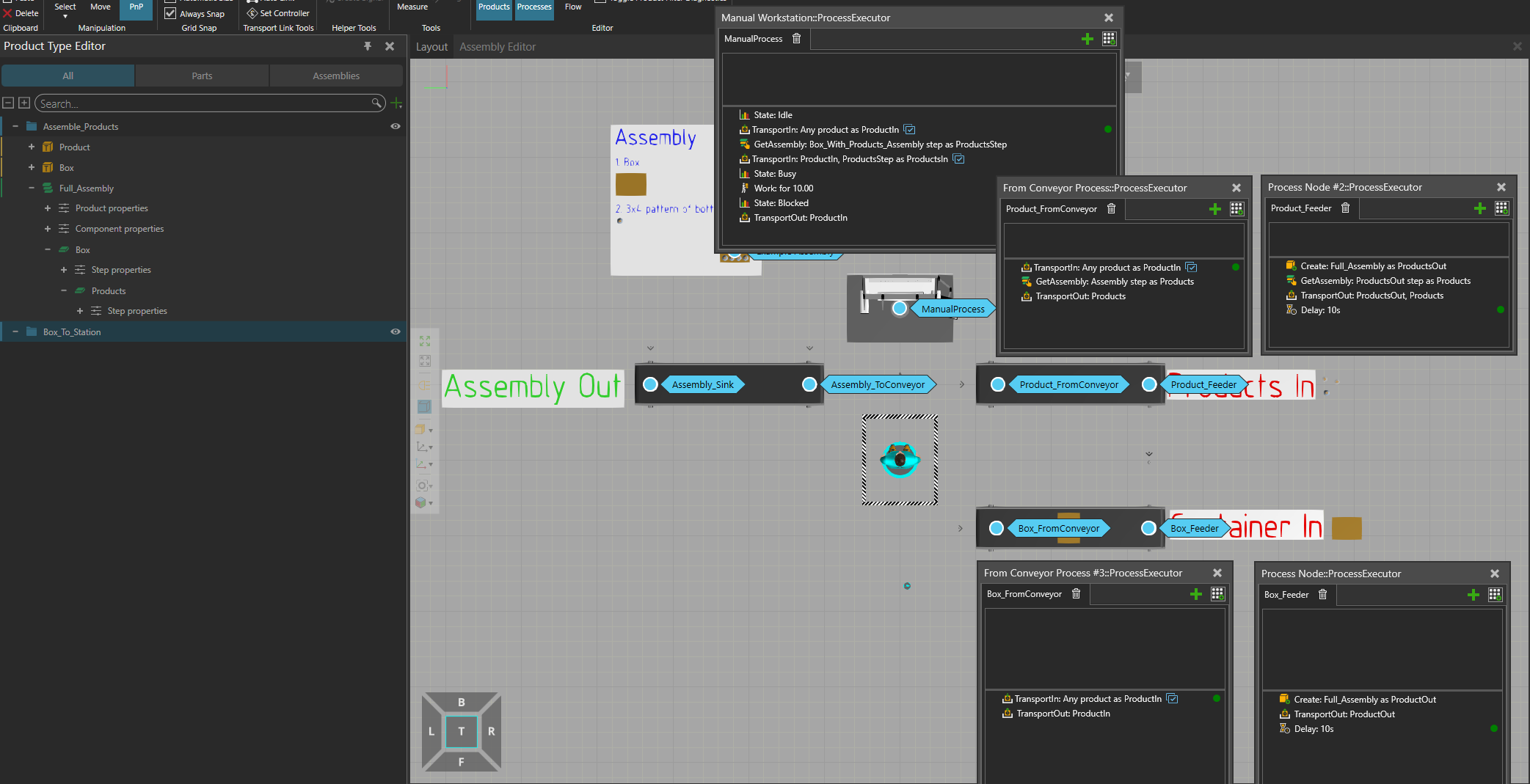
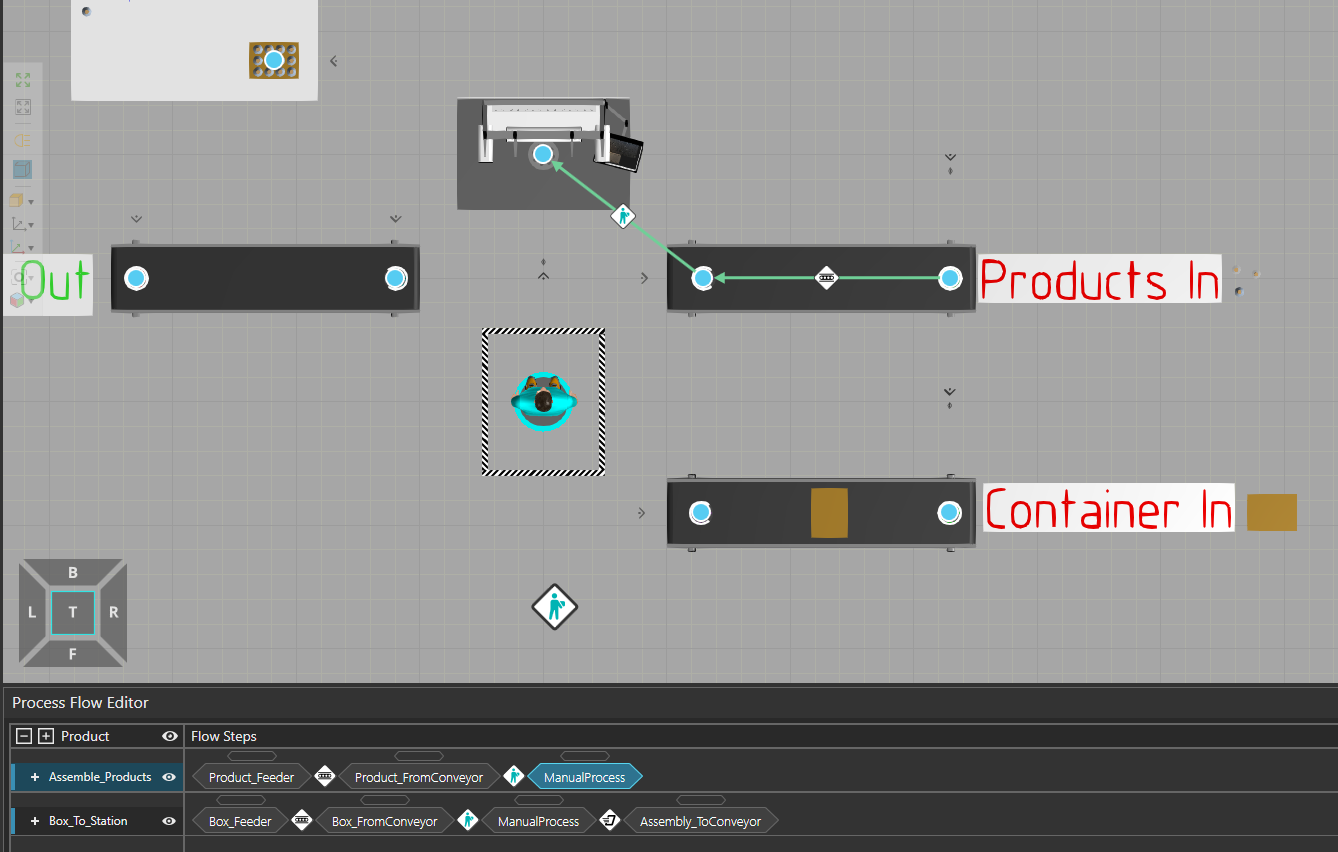
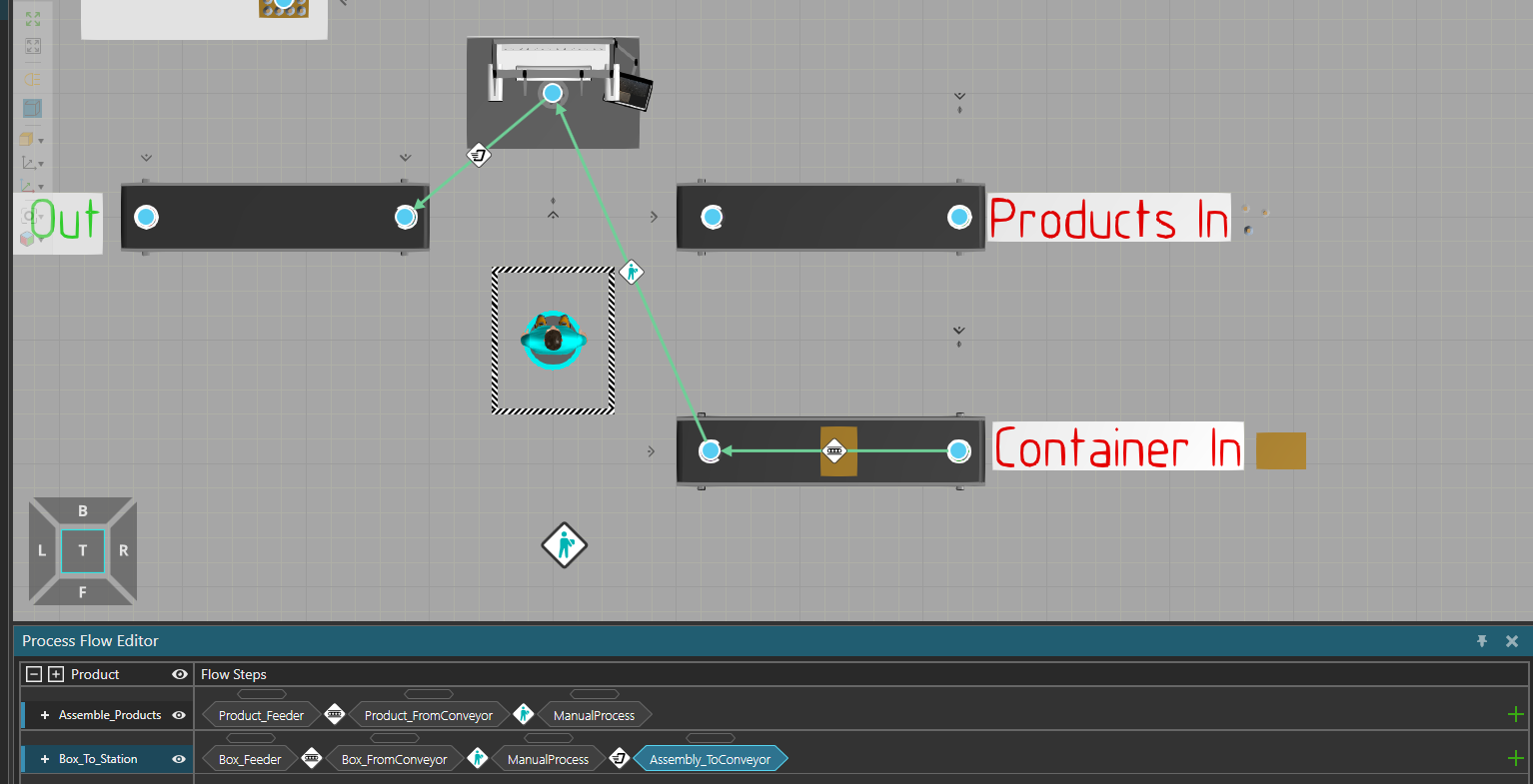
Box_Feeder creates the assembly with only the Box step. It goes to the end of the conveyor but for some reason disappears and doesn’t stop at Box_FromConveyor
Product_Feeder creates the assembly with the Products step. For some reason, this is immediately giving an error: Process Node #2::ProcessExecutor::Product_Feeder::Transport Out error: Lists containing more than one Assembly Instance are not supported.
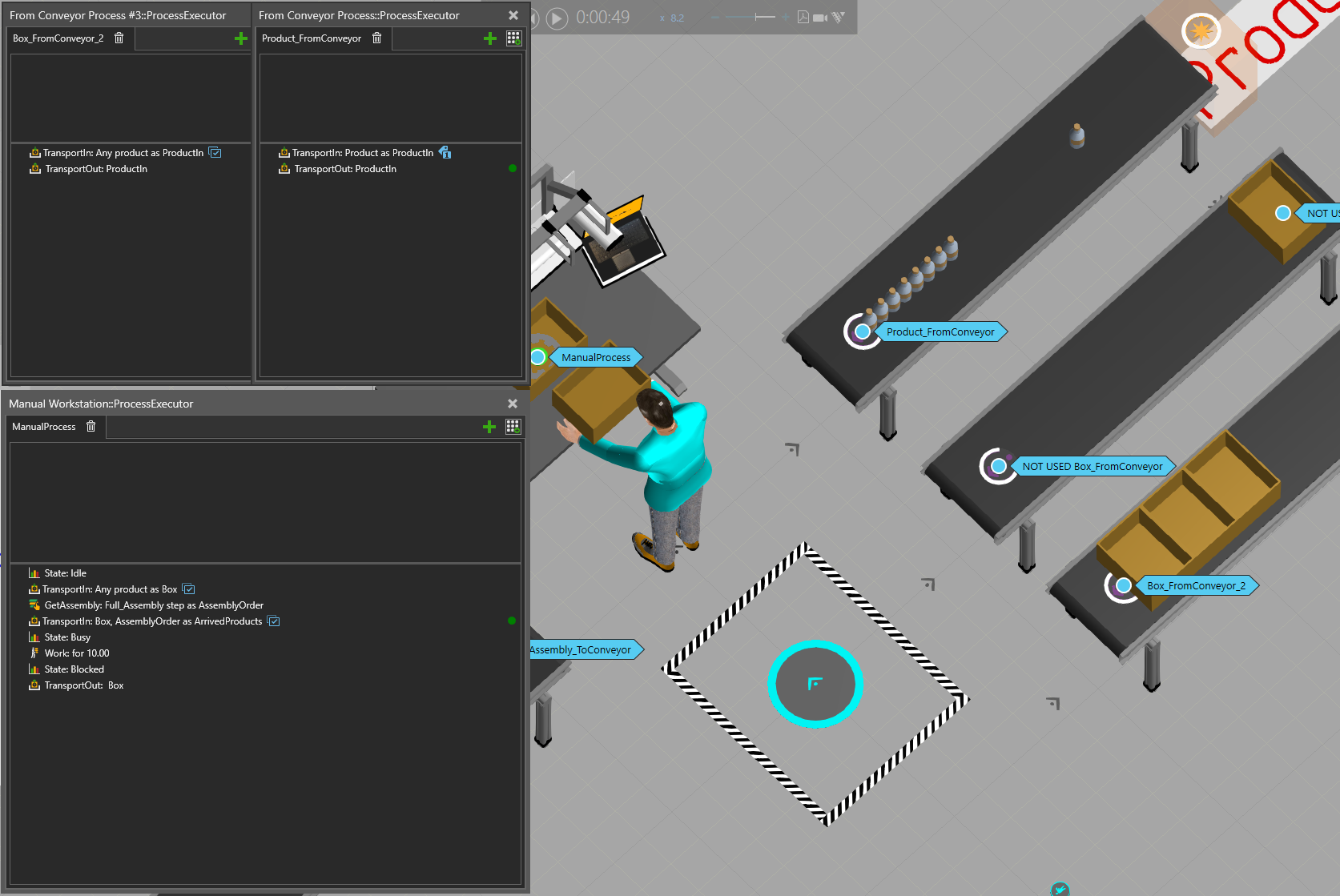
At processing, the first TransportIn just brings any product in (the box). Then with GetAssembly it defines the first incomplete step - the step after Box in the assembly is Products. Theoretically with the next TransportIn it should take 3x4 products and put them in the box.
I would also suggest the Layout Template (in eCat) “Assembly - Brick Example Layout”, which gives several example with Assembly. –> You could try doing the same as in the box “Product Type to Build Assembly”, where an Assembly is created from products, which will be easier.
Thanks for the suggestions! I checked the “Construct example” in that layout and using the logic there actually got my test running now. However, there are 2 things I don’t like about it.
To get exactly 12 bottles as in the assembly I added a while loop into the process that loops over TransportIn 12 times.
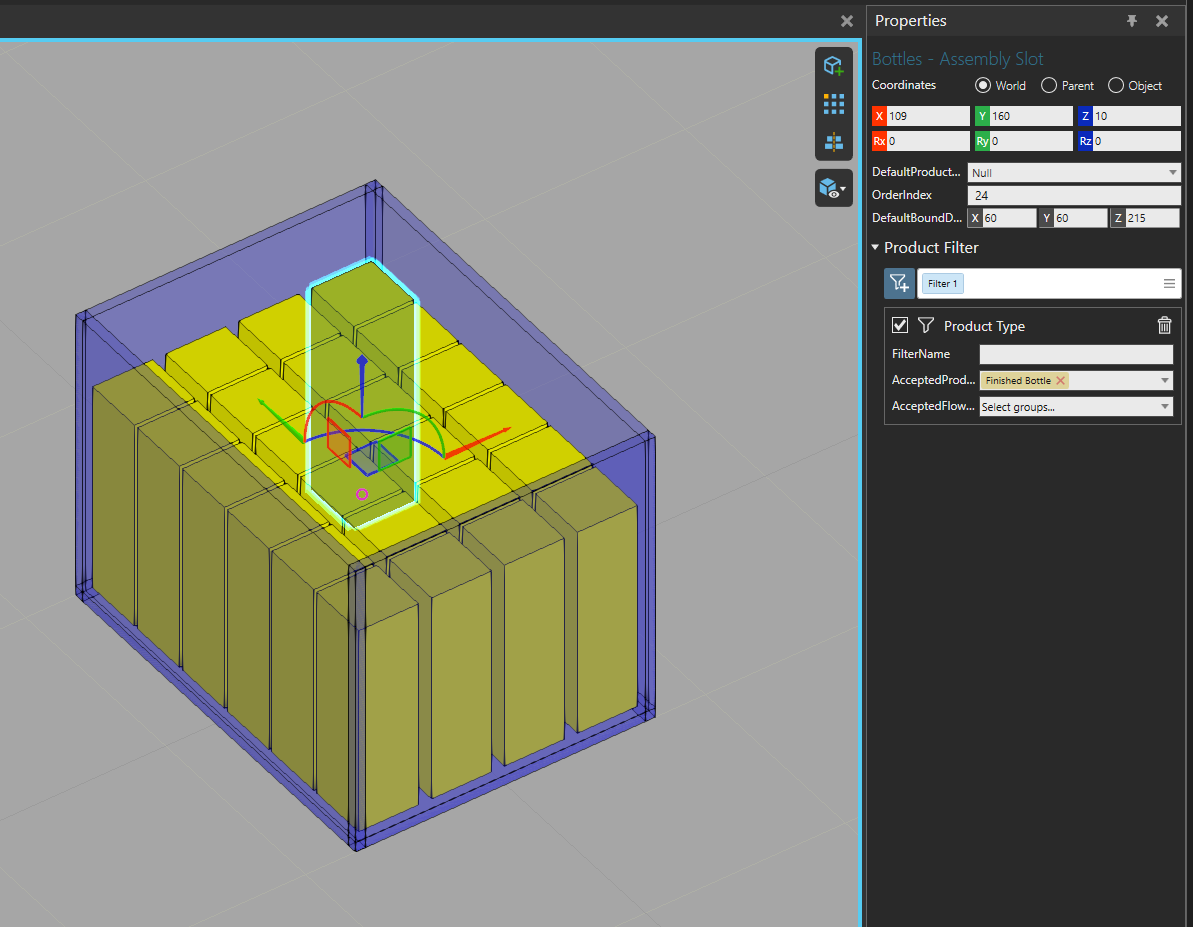
This seems like a workaround. What if the assembly changes from 3x4 to 4x5? If the assembly already contains the step with a pattern of products, can the process somehow use that info directly to fetch the right amount of products in?
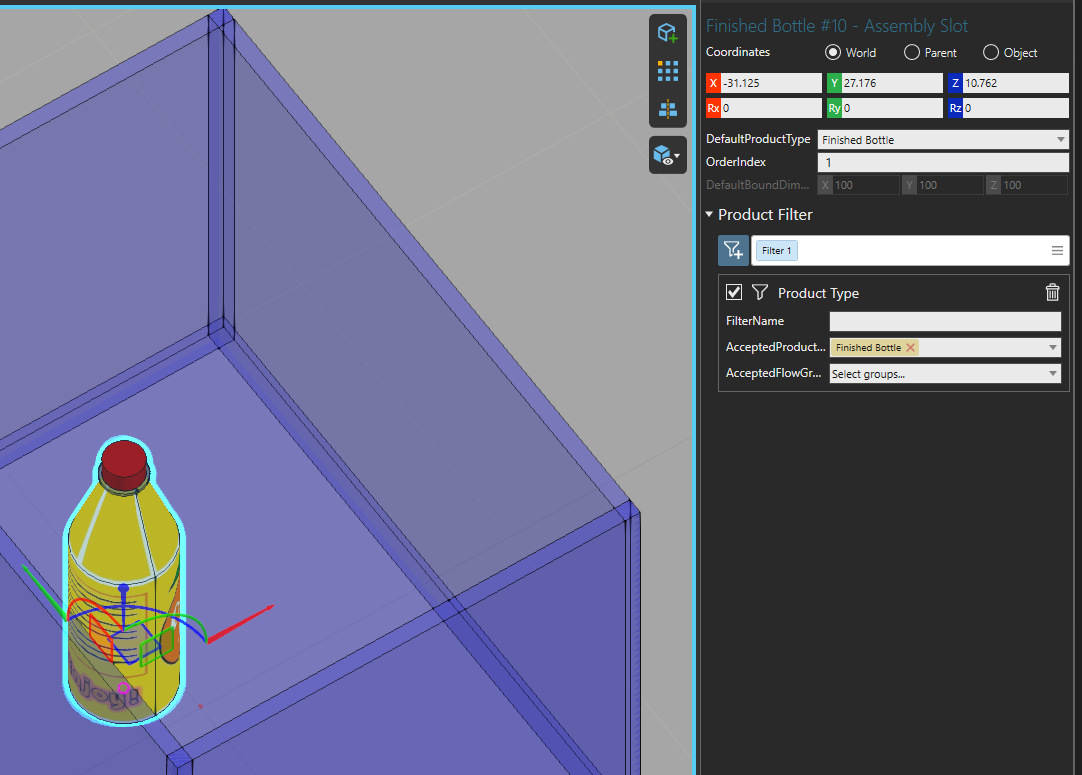
The bottles are put in the exact same place in the box. Visually, I would like them to be put in the right pattern immediately.
Is there a good way to achieve that? (apart from creating 12 new frames and somehow assigning each TransportIn to its own frame)
I’m not sure the Construct statement is the best way to go here. And if you don’t use it, it will solve both problems: you won’t need a While loop and the bottles can be directly placed at the correct position.
–> Either use the technique of importing the box as Assembly step and the bottles as products, or everything as a product with the example I suggested before.
For the different pattern, there are also different possibilities: doing one Assembly per pattern, or one Assembly with different parallel steps for each patterns.
@Tilma actually I have a followup question for you - let’s say that each bottle that is put into the box takes a certain time to be completed, so we would want to add a Work: for x seconds after adding each bottle.
I didn’t find any way to accomplish this, because it seems the process stays on TransportIn for bottles until the whole assembly step is completed (all slots filled). GetAssembly does not return the next empty slot.
Do you have any ideas on how this could be realised that each action of bringing the bottle would be followed by a work statement?
One workaround I thought of: in the transport link it’s possible to set a long PlaceTime for the bottle to simulate the working time.
I was not planing on being very active on the Forum at the moment, but I had a few minutes of fun making a new exemple
As you said, the easiest way is to make the PlaceTime a bit longer in the TransportLink. If you want to make it look a bit nicer, you can adapt the movement of the operator for this transport by adding a new routine in the Programm tab (see page 22: Process Modeling Resources Manual | Visual Components Academy )
The more realistic way, but a bit more complex, would be adding the products one by one with a work statement in between. To do that, you need to have one product per step in your assembly. You can use the Auto-Assembly Addon to do that easily (check the demo video or pdf in the forum post). Then in a while loop, add one step at a time, do a work statement and check if the Assembly is full to be able to break out of the loop if it is.
I’m glad you are Not sure how you managed to learn VC, but when you’re stuck then I think there’s no better way than to ask more experienced people on the forum for help - especially these examples are super helpful.
Yep, thanks! I can see how the Auto-Assembly Addon and one assembly step per slot makes sense, I’ll try that out later.
This flow is actually part of a real-world scenario I’m simulating - and ideally I’m looking to add some more steps to it ((1) worker should pack the bottle in its own individual package on the workstation - bottle package does not need to come from anywhere, basically just changing the product type; (2) filled box should be put on a pallet that’s waiting in the output, instead of output conveyor; (3) once pallet is filled, it should go out).
I’ll try to figure out how to implement these extra steps on my own - but if I get really stuck somewhere, I might reach out to you for some more examples.
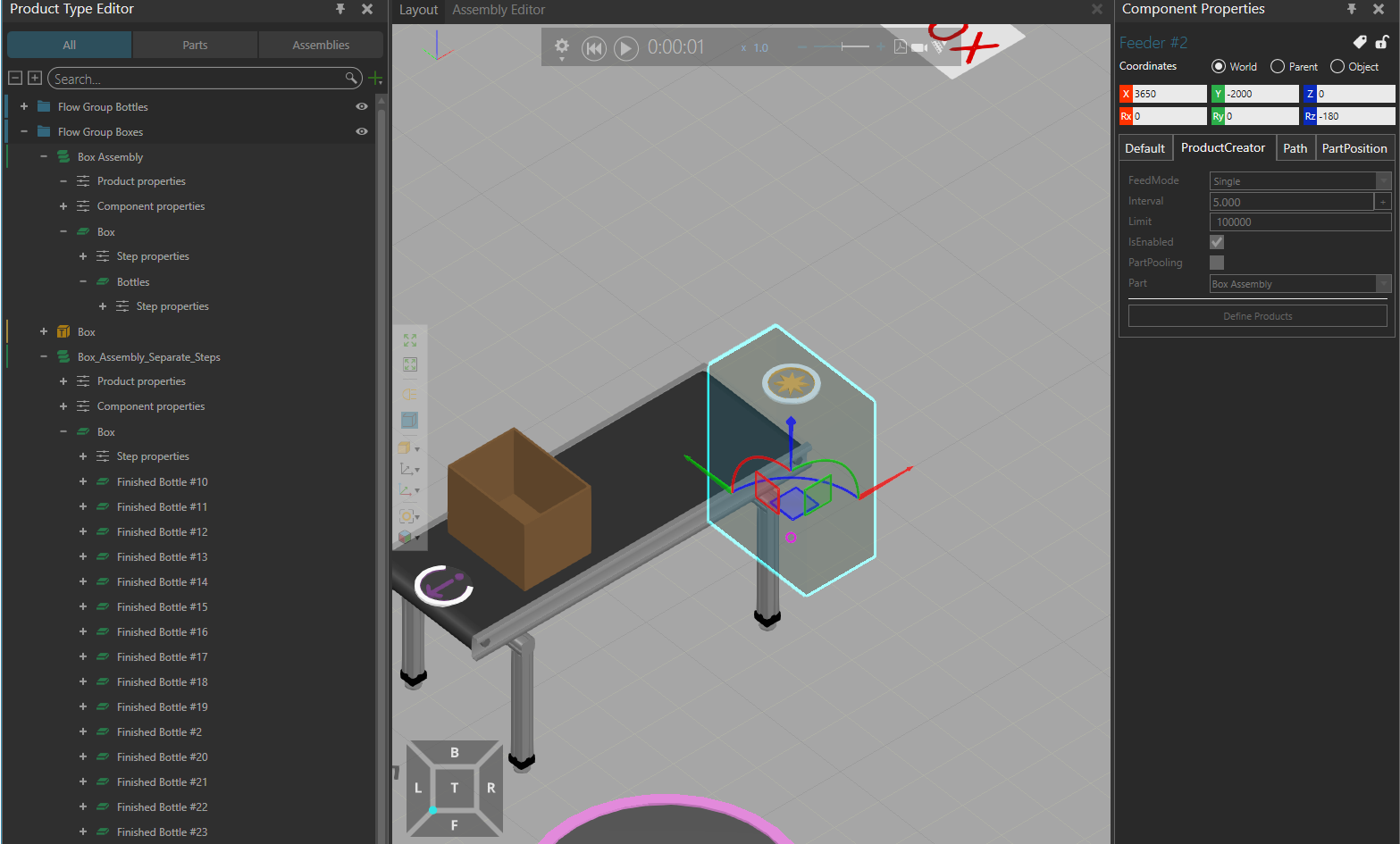
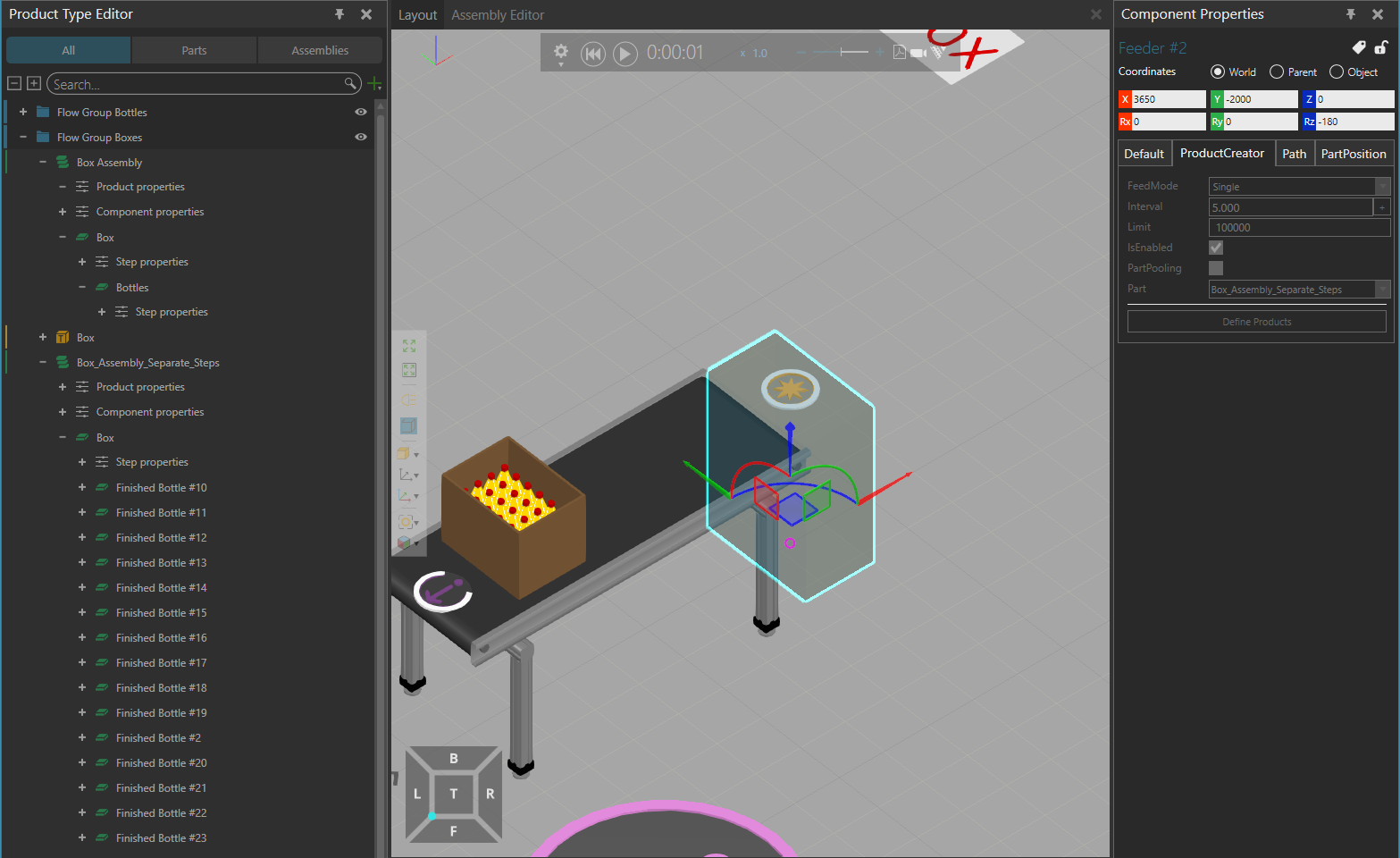
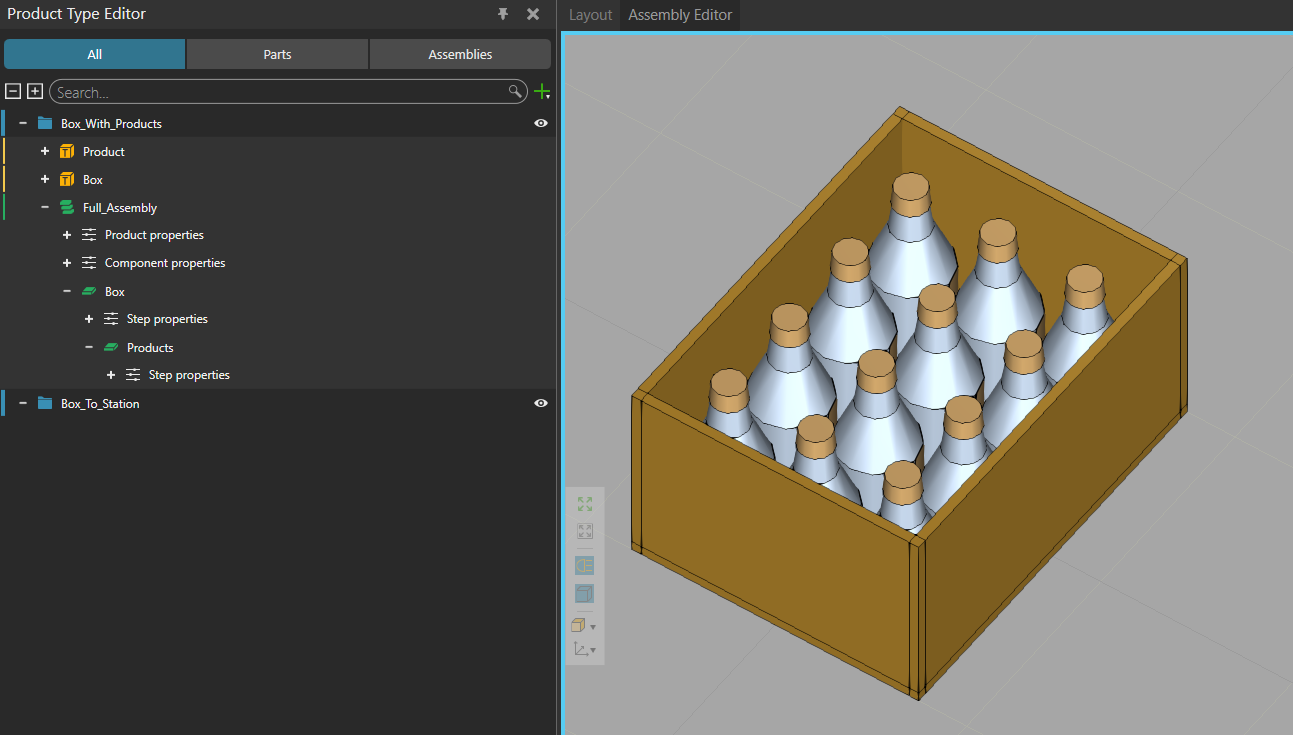
However, when set to feed Box_Assembly_Separate_Steps (autogenerated with box and separate steps for each bottle), it immediately feeds the finished assembly with all bottles? It should be the empty box step.
The product creator behavior (that the feeder components use) doesn’t support defining assembly steps when creating assembly product instances so it creates them fully populated with default products.
You’ll need to use a process with a Create statement to create partially filled assemblies.
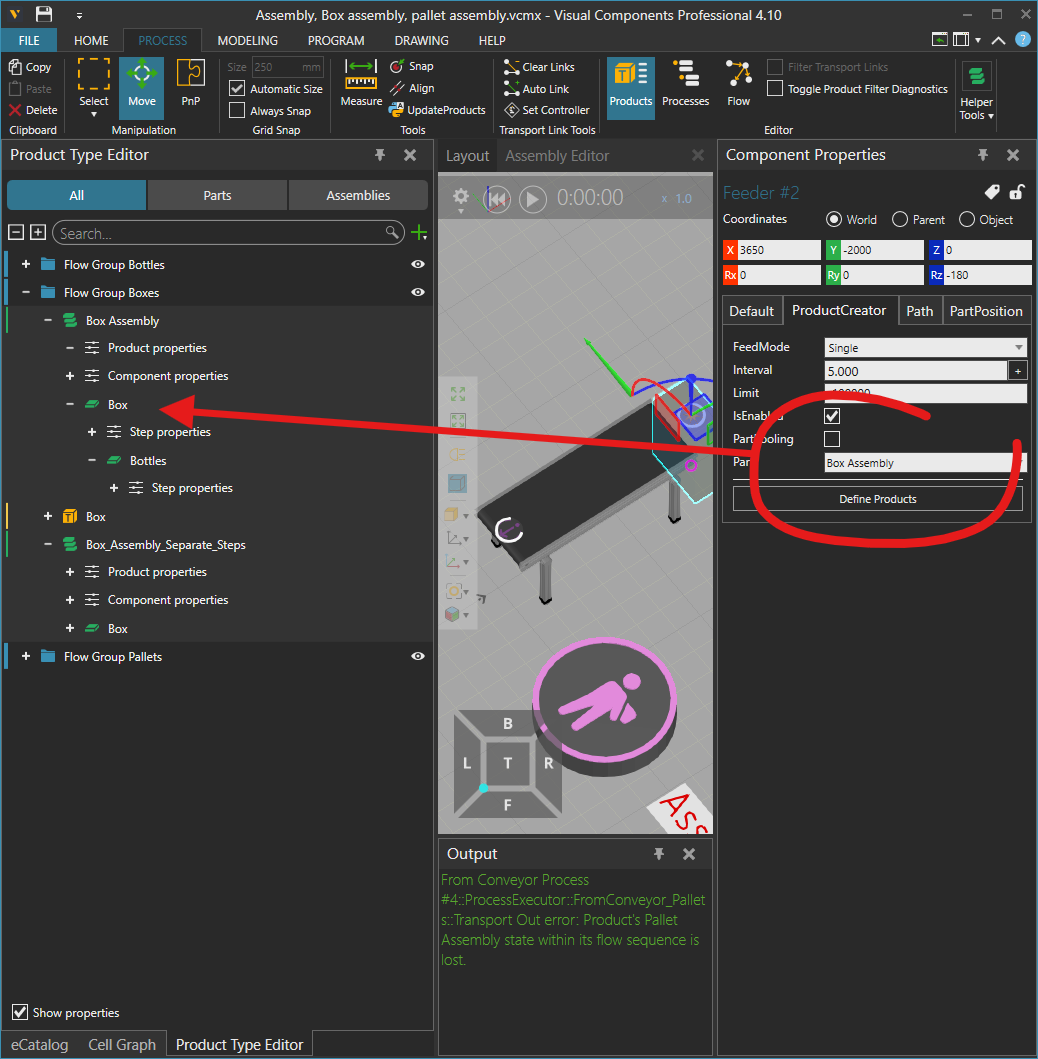
@TSy but then why doesn’t it create the fully populated assembly in the first example? Product creator is set to Box Assembly, but it produces an empty part.

 This clarifies it and I can see now that the solution can actually be much simpler than I thought.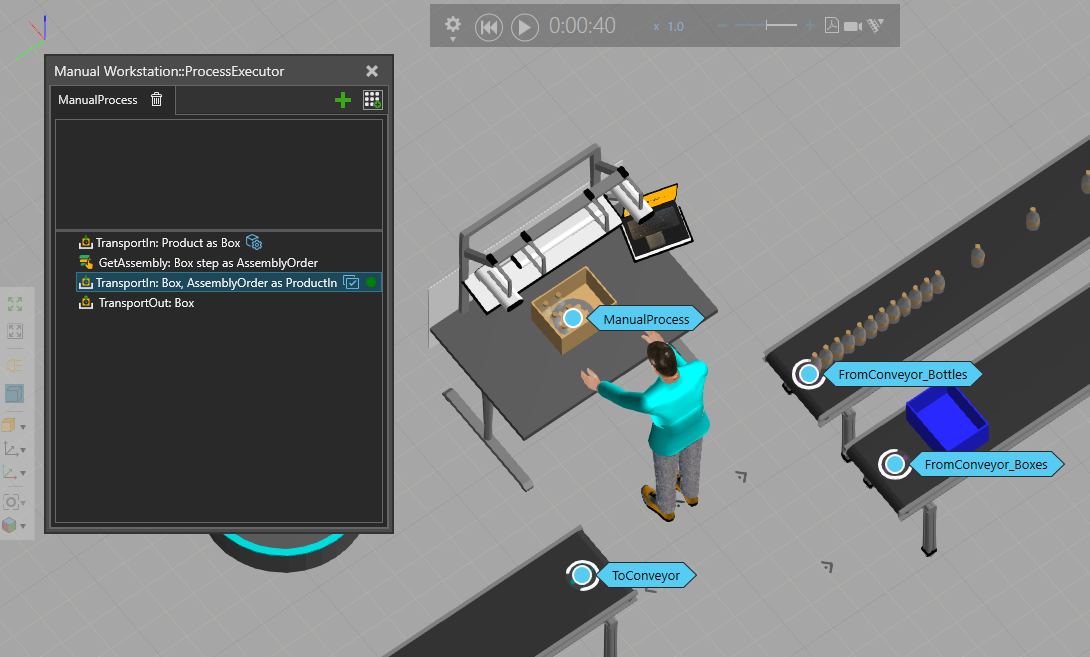

 Not sure how you managed to learn VC, but when you’re stuck then I think there’s no better way than to ask more experienced people on the forum for help - especially these examples are super helpful.