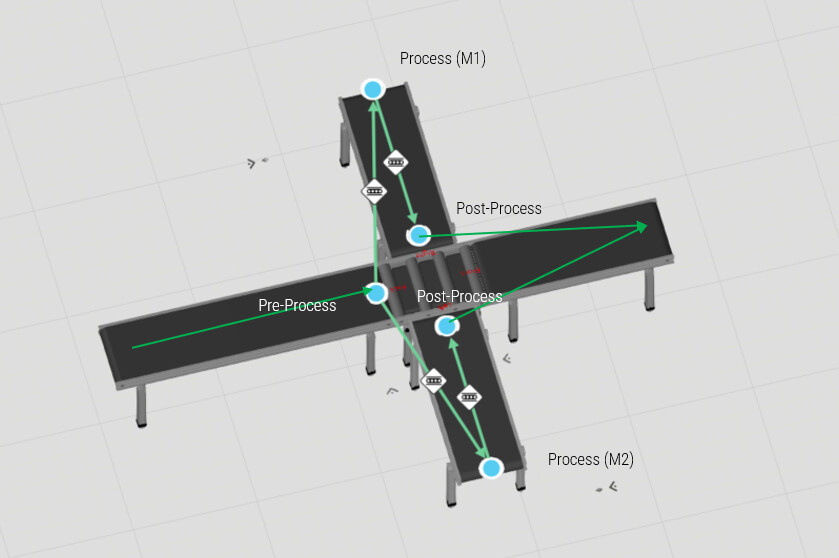
I’m working on a process simulation where I have a Pre-Process step that acts as a filter or waiting area before the main process. The main process consists of two stations/machines: M1 and M2.
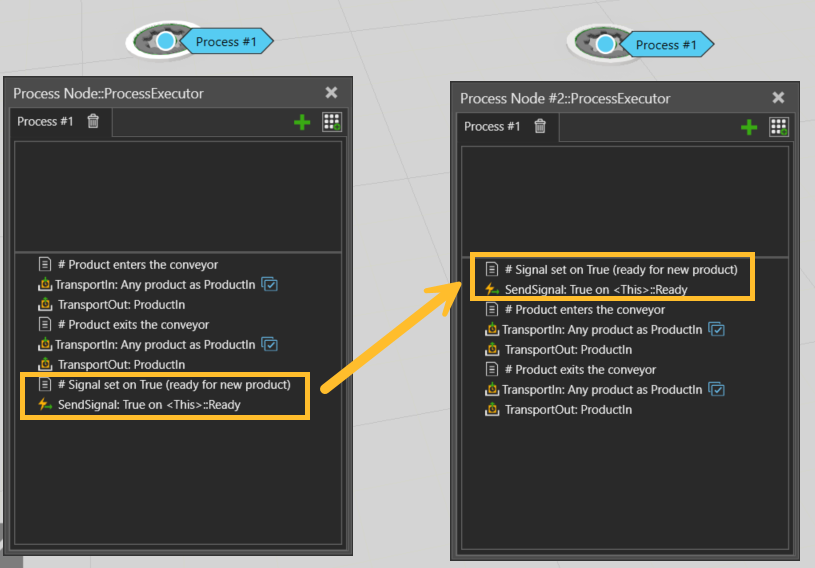
There are global variables (M1_ready and M2_ready) that are set to TRUE when the product leaves the corresponding Post-Process. I want to use a wait statement in Pre-Process that checks if eitherM1_readyorM2_ready is TRUE and wait until one of them is TRUE. Otherwise, the product moves over to the Cross-conveyor and causes a block (Neither this new product can move to M1/M2 as they are busy, nor finsihed product from M1/ M2 can come out as cross conveyor is now blocked) However, the process statement editor does not allow me to use an OR condition in WaitPropertyCondition.
Got it imlpemented. Thanks a lot! However, there is a small issue. The initial values for A, B as well as OUT are 0 and therefore the first product is not moving forward at all. A and B will be set to TRUE once the product leaves corresponding Post-Process. So I guess from the second product onwards, this should work.
Is there a way to initialize the A and B ports of the OR gate so that the output is TRUE at the beginning of the simulation?
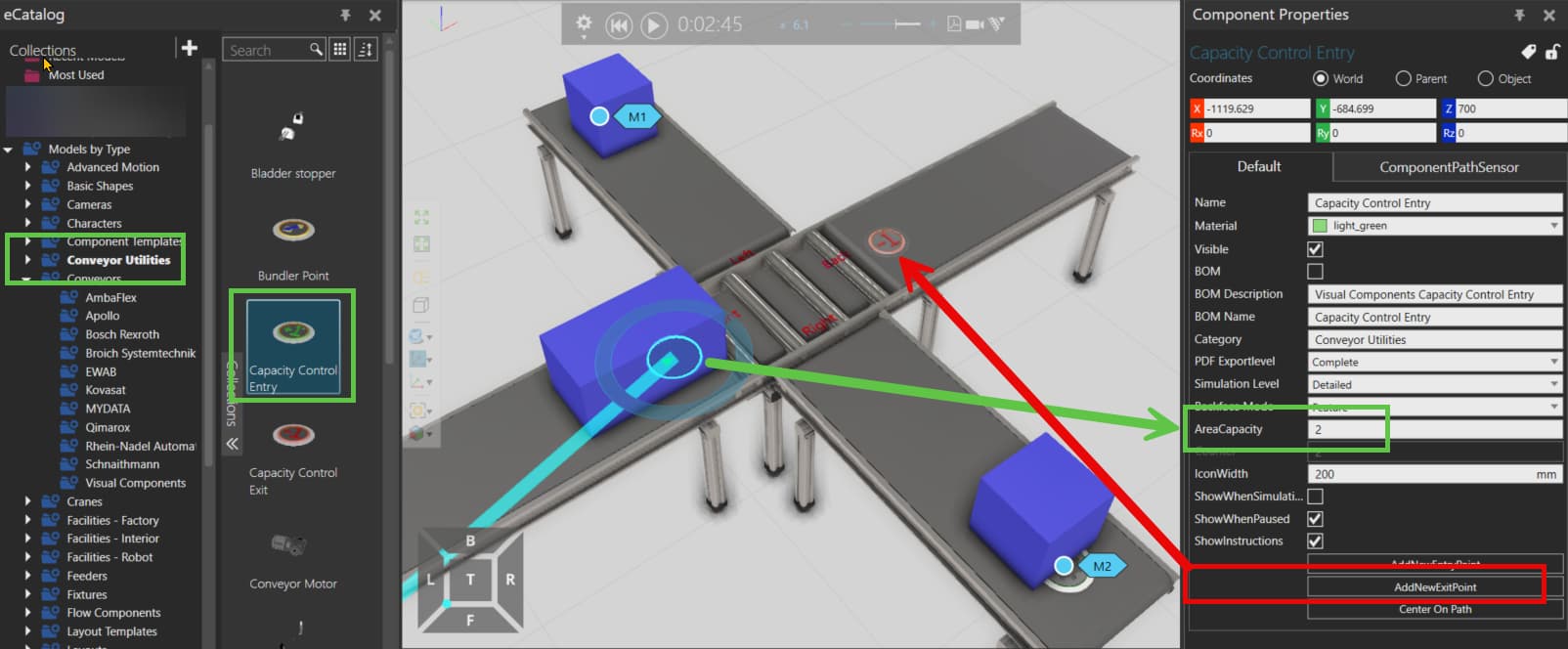
An easier solution could be to use Capacity Contol components (in the Conveyor utilities file in the eCat).
You can add an Entry, in its property click on “Add Exit” (so that both are conected, otherwise you have to connect their interfaces manually).
If you set the AreaCapacity to 2, only 2 products can be between these 2 points, no need for signals!
This worked. Thanks. But, ran into another problem. The next product moves immediately to the cross conveyor before the first product reaches the M1 and send False to the OR gate. Maybe an additional delay could solve that. But, I am looking into your another solution of using Capacity Control. Looks interesting.
This worked. Great solution. However, this limits the product count of all products between Entry and Exit to 2. However, in this case there will be some product types that move straight ahead without visiting this process at all. That means if M1 and M2 are busy, the next product that arrives, waits before the Cross-conveyor even if it does not need to visit M1 or M2. (Routing rule in Cross-conveyor takes care of moving the product directly to next conveyor)
in this case the capacity control components won’t work.
You can use the Logic Gate method, or you could use an external component to store a property or signal refering to how many products (that have to be processed) are between 2 processes.
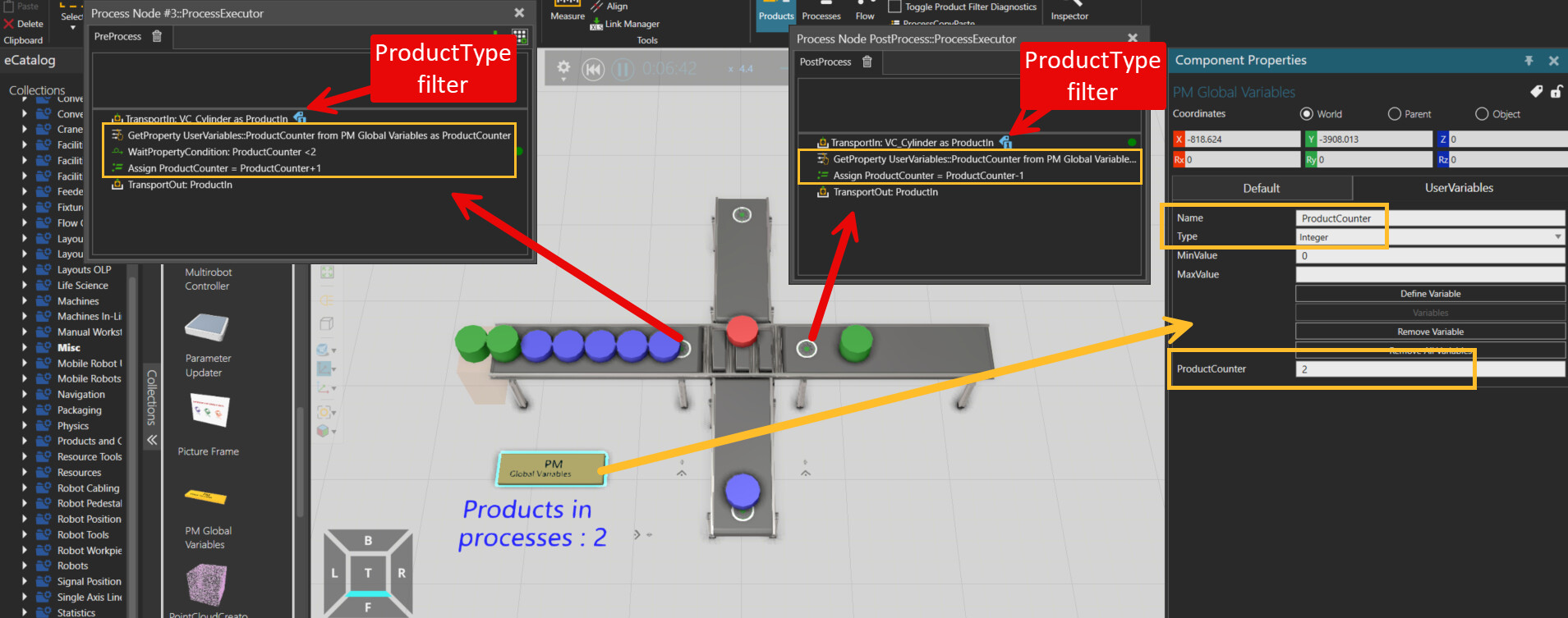
You can use for example the “PM Global Variables” component from the Misc file in the eCat and create an Integer property in it.
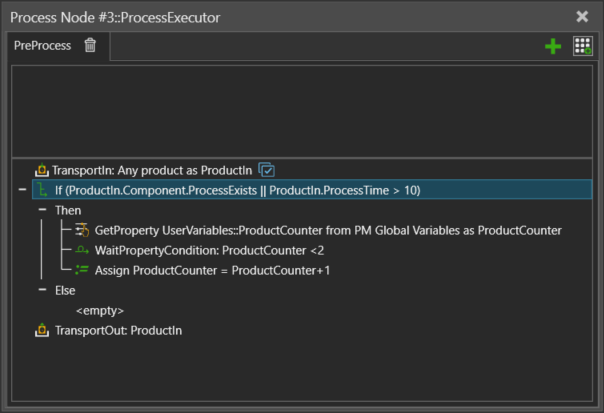
Then in a process before the crossing conveyor, use the Filter in the TransportIn for the products having to be processed, get the property from the Global Variables component, check if the counter is smaller than 2 with the WaitProperty and if yes, add 1 and TransportOut the product.
In the Exit process you can also use the Filter for these products and substract 1 to the property.
The picture might be more comprehensible:
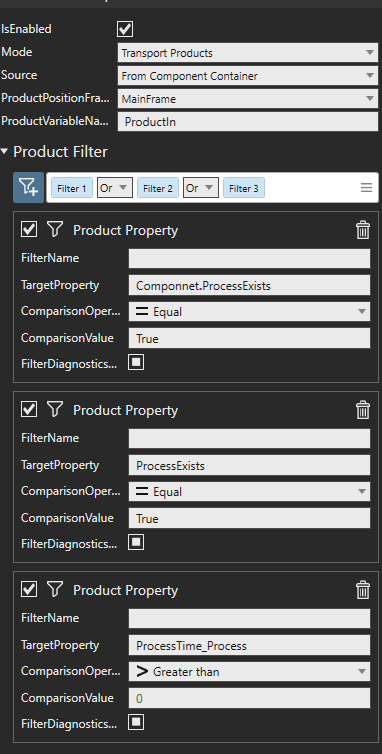
Great idea. It worked. Thanks! I am now not able to figure out the filters. I want the filter based on Product Property. I tried 3 ways. Nothing worked.
ProcessTime > 0
ProcessExists = TRUE
Componnet.ProcessExists = TRUE (added ProcessExists boolean property as Product Property as well as Component Property)
The filter in TransportIn can only use ProductProperties and not ComponentProperties. So something like “Component.ProcessExist” will not work in the Filter.
If you have component properties, you could also deactivate the filter, so that every product enters the process and use an If to do the waiting just for products with specific property values :