As a complete beginner, I need help with the following task:
I need to import a STEP assembly model of a box with a lid and contents from CAD. The model must be prepared in such a way that the component properties can be used to control (checkbox) whether the lid or parts of the box’s contents are visible.
However, the component should be able to be handled as a single unit in VC (PNP).
How do I set the import parameters so that I can proceed? How can I then control the visibility? I have the Professional license, but the end user only has an Essential license. It would be great if someone could briefly outline the necessary workflow for me.
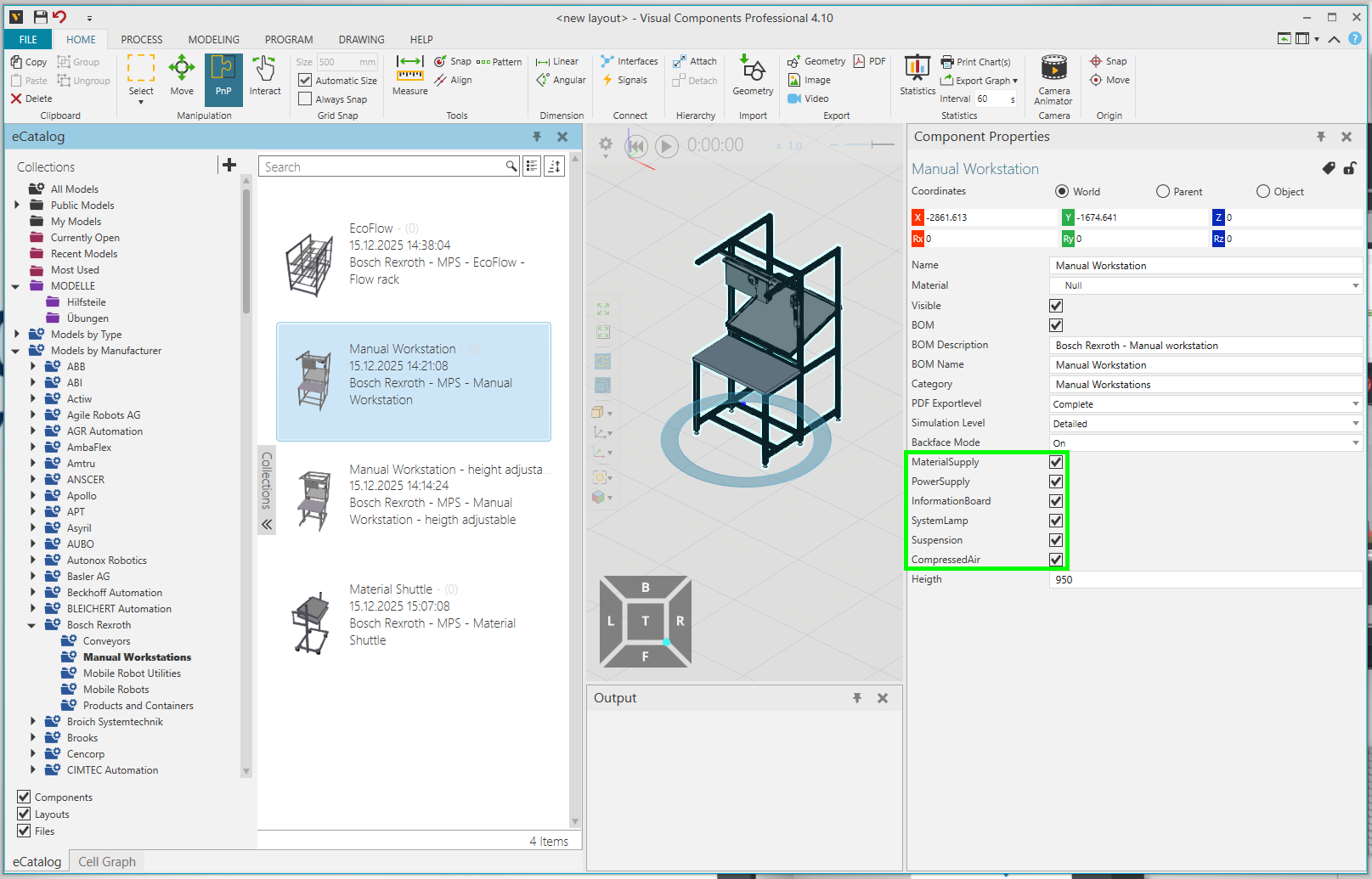
The Bosch Rexroth eCatalog contains a manual Workstation that offers exactly this functionality. How can I replicate this? …how should the output assembly be structured?
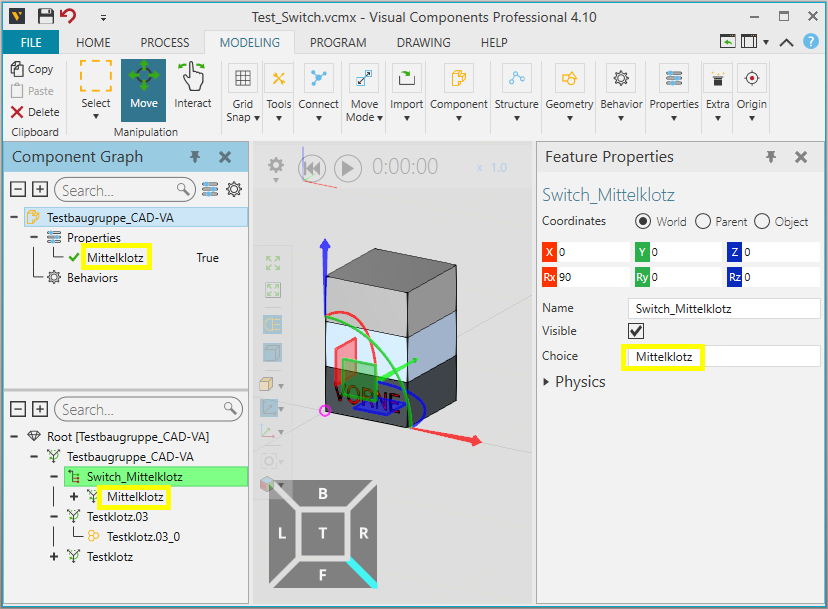
I would recommend using a switch statement to control the visibility of the geometry: Switch
Whatever geometry you put under the switch statement can be toggled on and off depending on certain conditions, such as a check box.
Once you have created the component, another person can use it with an Essentials license. They just won’t be able to modify it themselves.
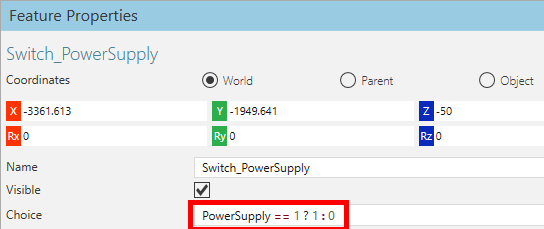
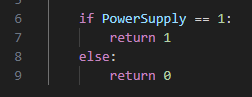
I’ve now managed to get something working. I was able to recreate it using the example from the eCatalog. What I don’t understand is the expression in “Choice” in the example: