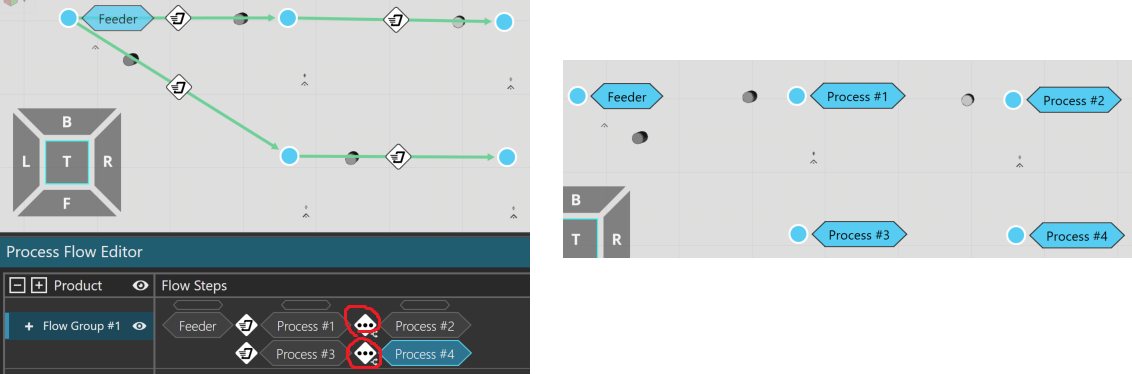
This is the flow in this layout. In the Process Flow Editor panel, the … icons are there; I’m not sure what does that icon mean. Does it affect the flow?
It just means there are multiple possible transitions between those flow steps because a product can do any of these depending on what is first available:
Process 1 → Process 2
Process 1 → Process 4
Process 3 → Process 2
Process 3 → Process 4
The … icon itself usually means “more than one different transport controller can be used”. Based on your screenshot you only have interpolation transport in this case, though.