Is there a simple way for me to accumulate 5 products and then have the robot slide those over (move P8 to P9 in image below)? Right now the robot just goes through product - do I need to make the carton act like a solid…
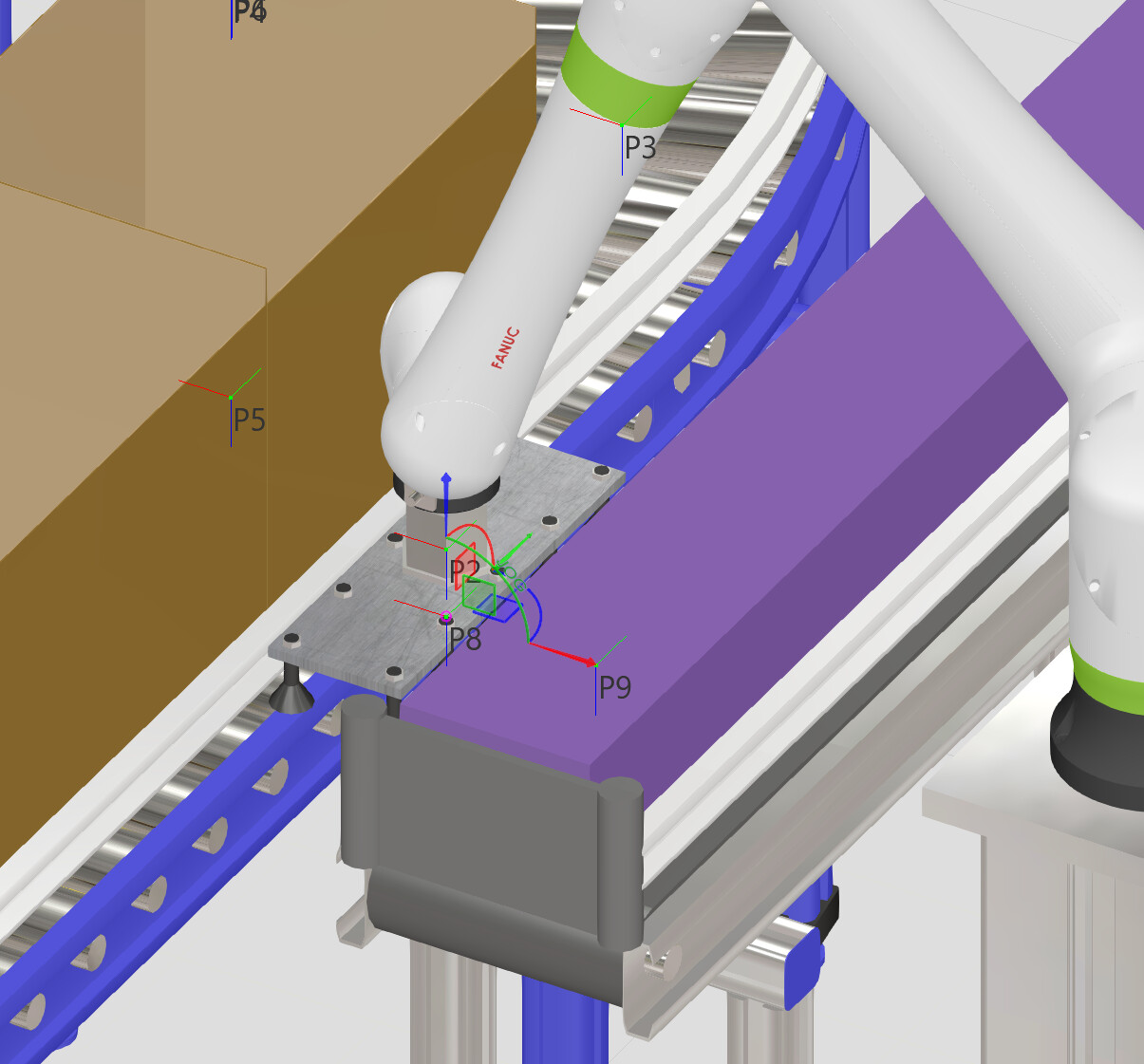
You mean something like this ?
If yes you can try with a Conveyor Sensor set on “CountParts” to receive a signal after 5 products went through. Then trick it a bit by adding a TCP on the side of the gripper and grasping all the product to slide them on the side (you have to activate “MultiGrasp” in the robot properties (under SignalActions) and increase the detection volume in the robot properties (under Actions Configuration)). You can select the conveyor under “ExcludeReleasingTo” so that the part on the side are not blocking new components to arrive on the conveyor next to them.
Slide Products with Robot.vcmx (1.7 MB)
Otherwise you could use the “Bundler Point” (eCat → Conveyor Utilities) to attach 5 products together on the conveyor and grasp them easier all at the same time
Or try using the Physics functions, but it’s a bit trickier
3 Likes
Thanks very much - that is perfect. I knew there were a couple ways to tackle this and I thought I would need to deal in the ‘Physics’ world.