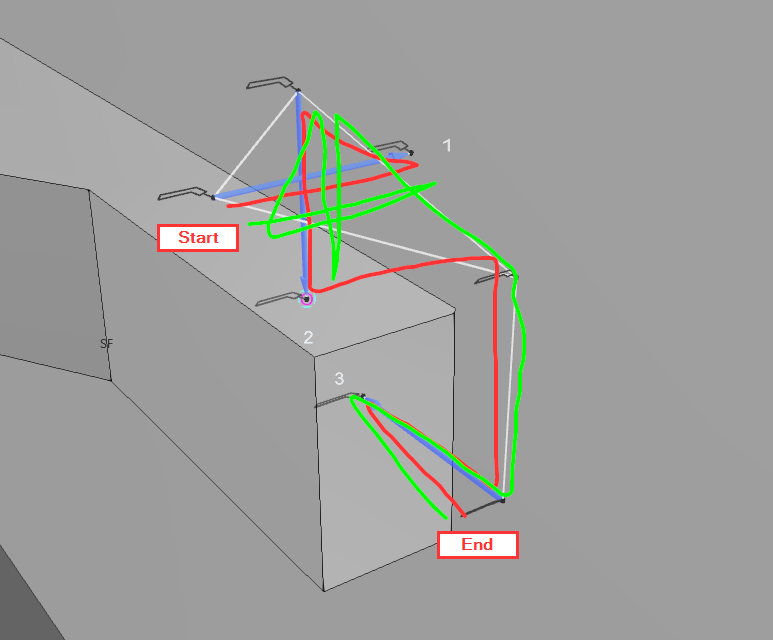
my question is whether there’s a way to modify search trajectories, as the ones generated automatically aren’t really optimal. What bothers me the most is that the robot returns to the starting point after the last search. I’m aware I can manually delete those points, but with 100+ searches on certain parts that gets tedious very fast. To top it off, if you then modify any search parameters, the points reappear. That’s also one of the more frustrating aspects of this program, in my opinion (in terms of search and welding programming).
So optimally I’d like my trajectory to look like the red one, but at this point I’ll also take the green one.
The reason why those intermediate points are there is to allow the user to be able to modify the approach and departure points for each search touch in the Search UI. If you change the touch lengths or search types, these points are moved automatically according to these lengths and all paths are changed accordingly.
Also, all searches in 4.10 have full edit mode assigned to them so all individual modifications will be overwritten if you change any values after doing touch-ups or other singular modifications. This was created to allow the automatic recalculations from UI parameter changes.
This Search behaviour has been changed to 5.0 version already, where you are able to do single point modifications freely and use other edit modes. Feel free to update your license to test this out!
Thanks for the reply. I’ll try this in 5.0 for sure.
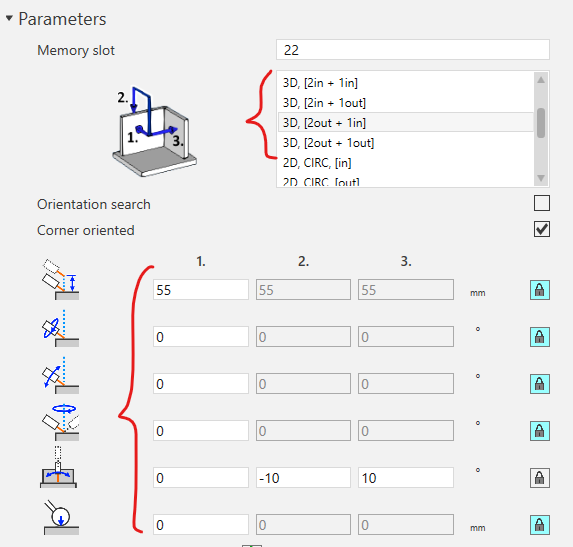
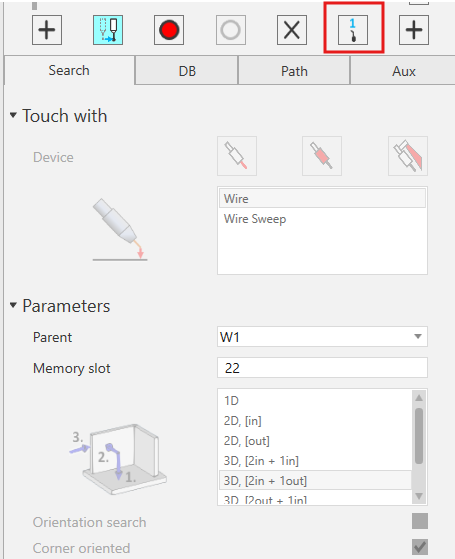
I’m already familiar with the above parameters and have tested them. They work as shown in the images and the search function as a whole works really well, but it would be nice to have some additional options, like suppressing search via point generation, because if you set the parameters correctly, you basically don’t need any via points between search points. They just add unnecessary points that make the program larger and cause unnecessary robot movement. Anyway, this is just a suggestion for future updates.