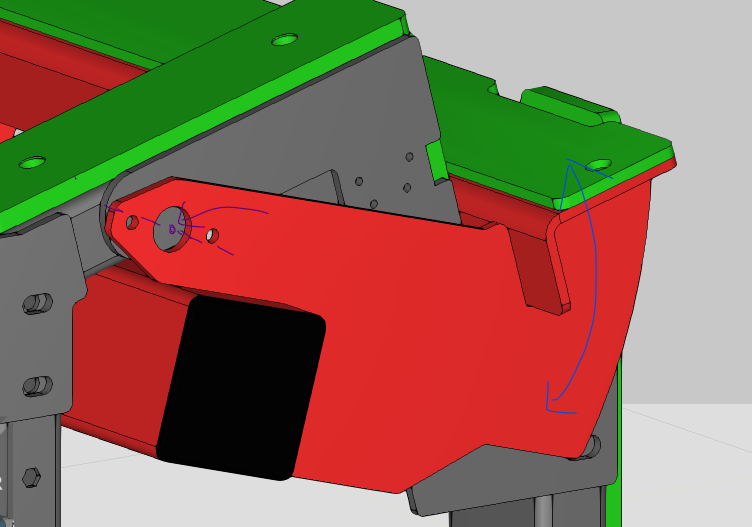
I am a new user of Visual Components and I have a question about defining a custom link/joint. I want to make this part rotate (the blue line) around the axis of the hole (the purple line). What would be the best option to do that?
Hi,
First, extract the geometry as a link and put JointType as Rotational.
Then, move the rotational axis to correct place by shifting the link origin: switch Move Mode from ribbon to Selected, select the link from the component tree so that it’s highlighted in dark blue in 3D, and move the link using Move tool to the position of the purple line. (This moves the link object, but not the geometries under it). Move tool lets you to snap the object to the center of a circle.
Lastly, switch Move Move back to Hierarchy, and choose correct Axis from the link properties panel so that it aligns with the moved link.