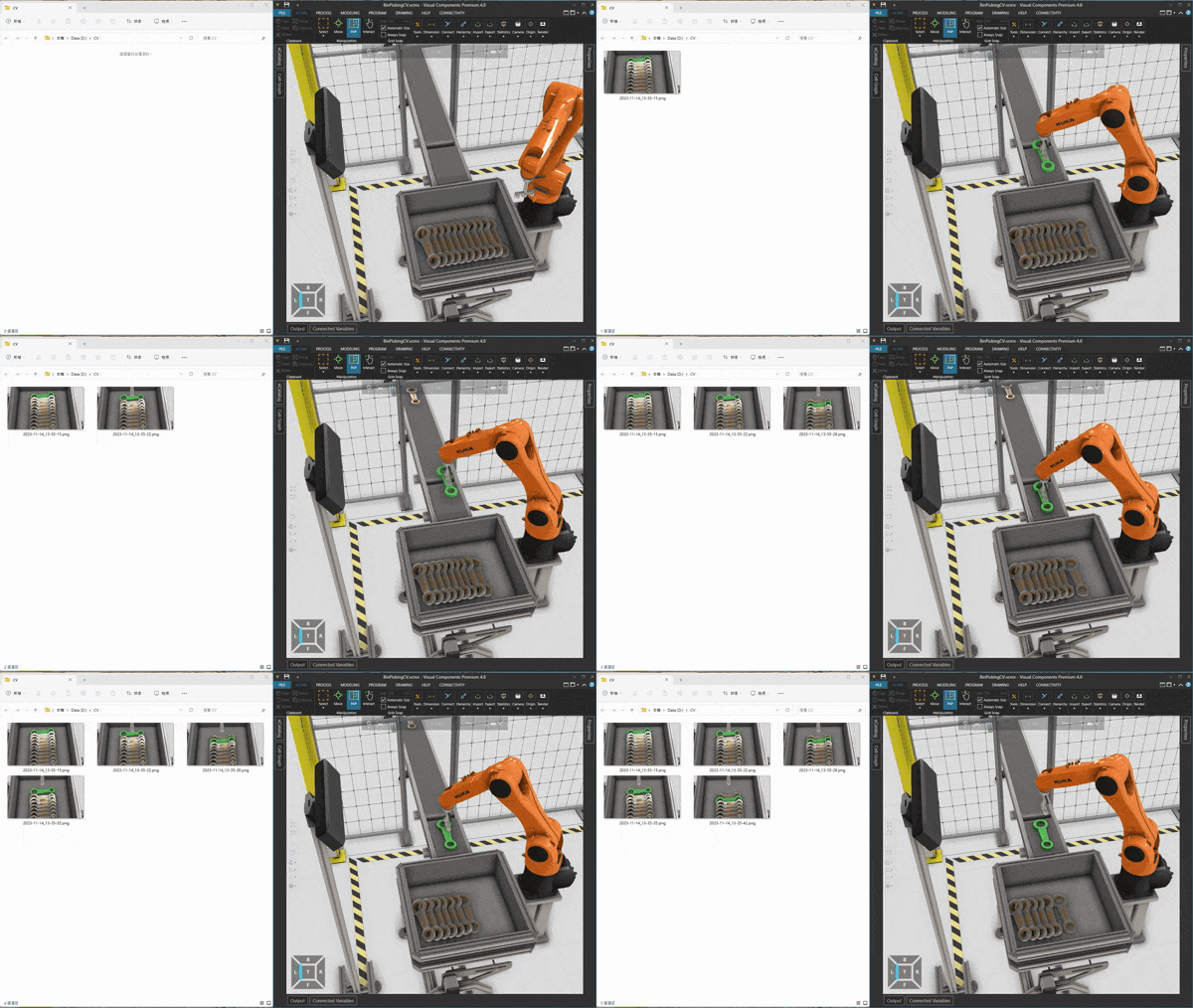
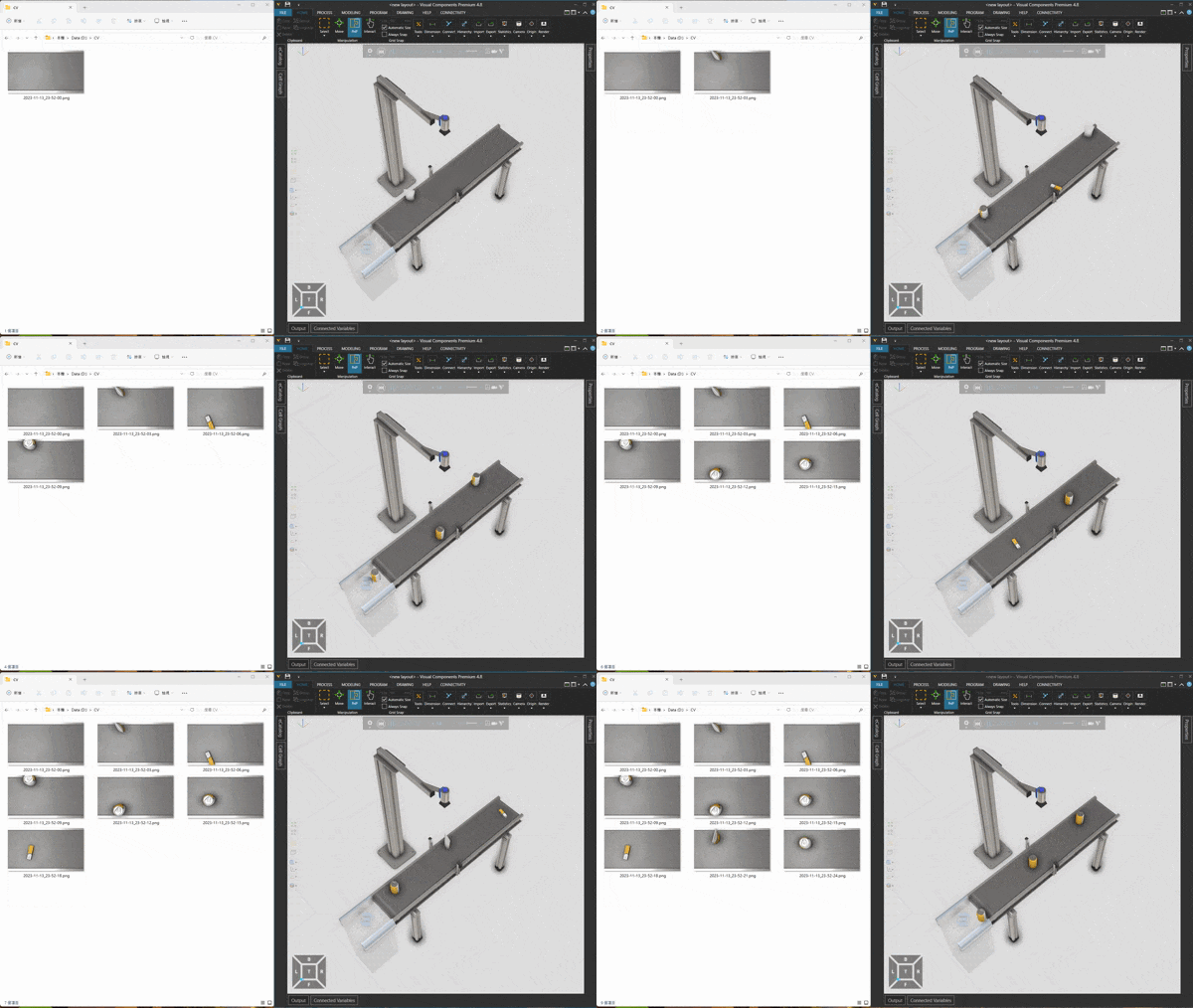
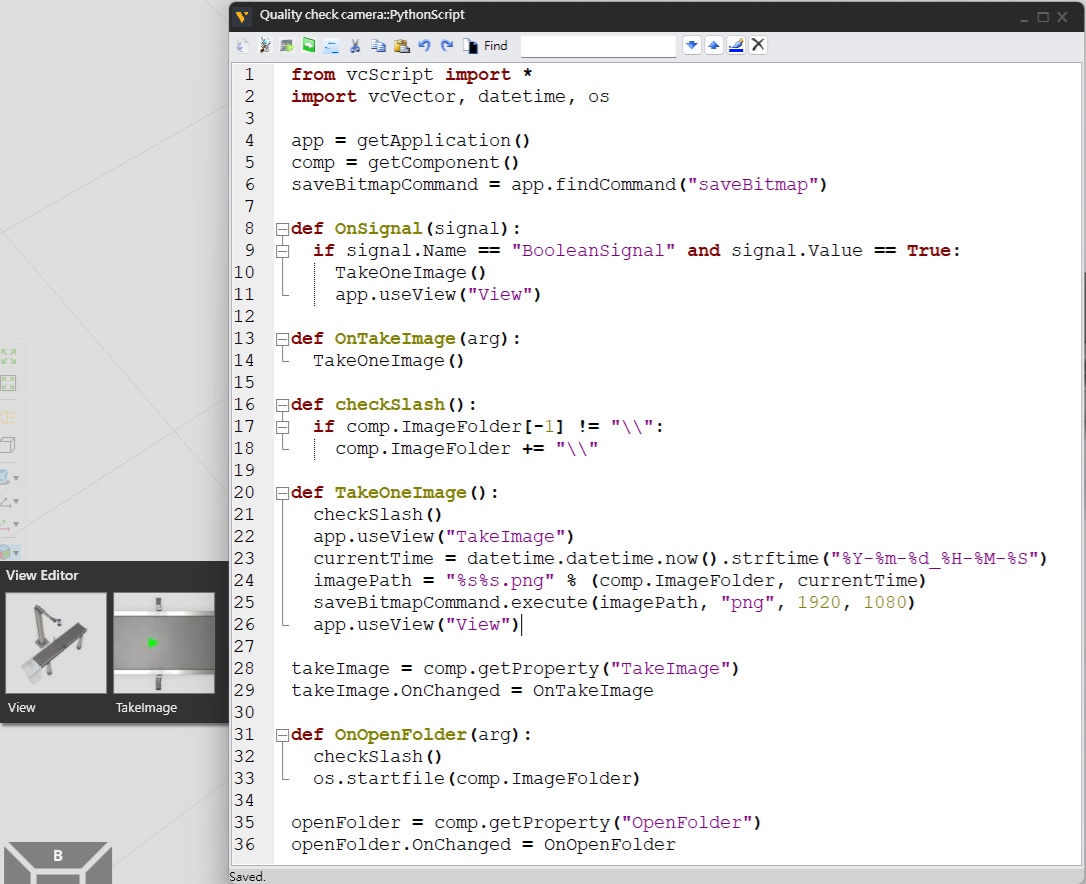
This is a quick easy example to simulate computer vision in VC. Since observer view and camera view share same window, so the downside is that you have to keep same observer view, the upside is that the code is 36 lines and easy to use, you can adjust parameters of vcView object as you wish, the script is in “Quality check camera” component.
Observer view: View (Any location as you wish)
Camera view: TakeImage (Any location as you wish)
Start simulation to take images automatically, quality check camera’s signal is connected with conveyor sensor’s signal, new image will be saved when workpiece passes.
- TakeImage: Take image manually
- ImageFolder: This indicates the saved images folder path, not file path, so you need to fill it manually, don’t forget to add slash at the end. (Update: Added check slash function)
- OpenFolder: Open saved images folder
TakeImage.vcmx (1.3 MB)