Setup
I have a simple test setup with:
- Feeder outputting 3 products with different dimensions.
- Robot picking the product from one conveyor and placing on another.
- Robot has a simple recorded routine for picking and placing (
T1_PICK,T1_PLACE)
Goal
I want to understand how I could control the pick offset based on the incoming product.
Since the robot routine was recorded with product 1500 x 1000, the Pick frame is saved exactly at x=750, y=500 mm in the routine.
As far as I can tell, each time a product arrives at From Conveyor #2, it updates the Base, which is called From Conveyor Process #2 to the corner of the product.
This works for this particular product, however, if a smaller product needs to be picked, Pick(750,500,0) won’t be at the center of it. For example:
- Product 1 arrives (1500 x 1000), and
Pickis not in the center any more.
- Product 2 arrives (1000 x 500).
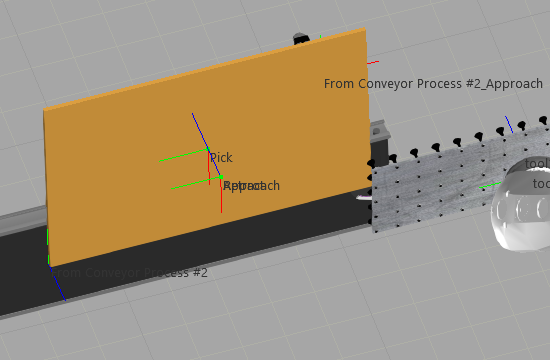
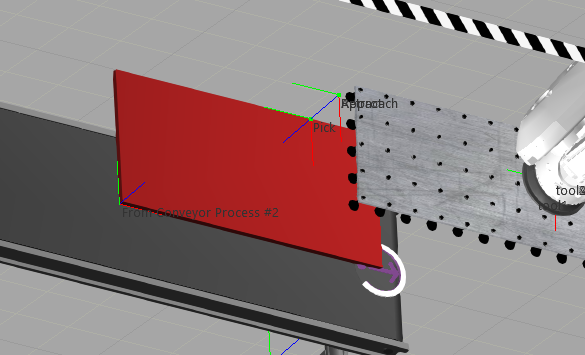
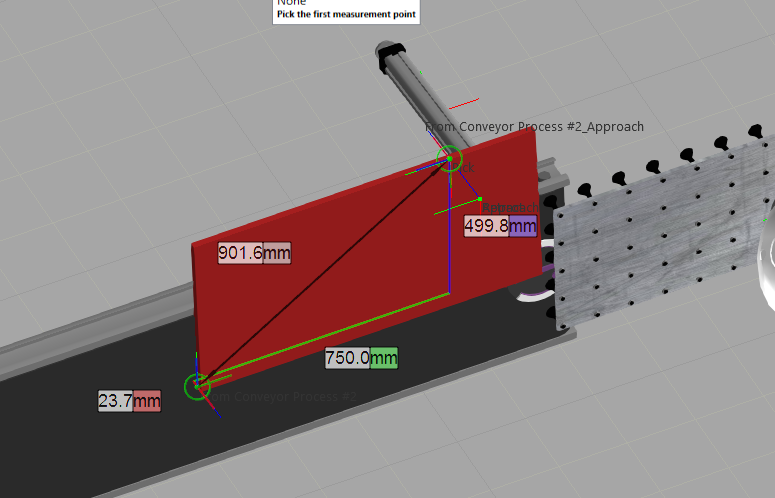
So what should happen is that in this case the Base would be offset by (-250, -250, 0). Then Pick would again be in the middle of the product.
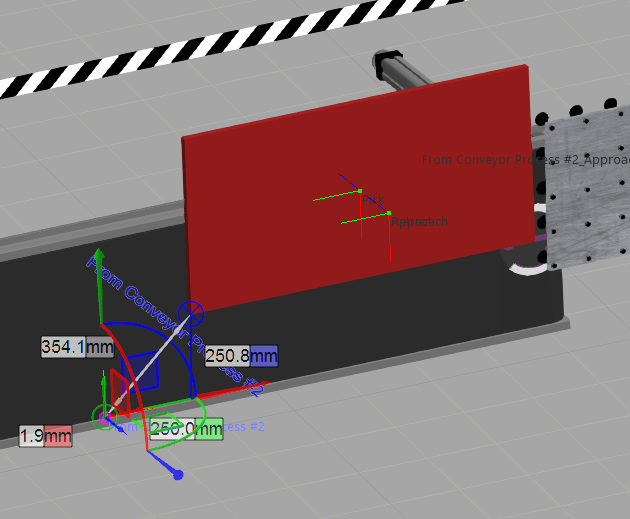
And since each next product can have different sizes, the offset somehow needs to be tied to either the product dimensions or 2 properties in each product (offsetX, offsetY).
Question
- How would it be possible to apply this offset based on either the arrived product’s dimensions or parameters?
- Something is moving the Base frame as the product arrives at the process node. What is it and can it be modified to apply these offsets?
I already looked into adding a pick frame in each product component, but that only seems to work if robot motion is ‘Automatic’ and not with custom routines.
Thanks!