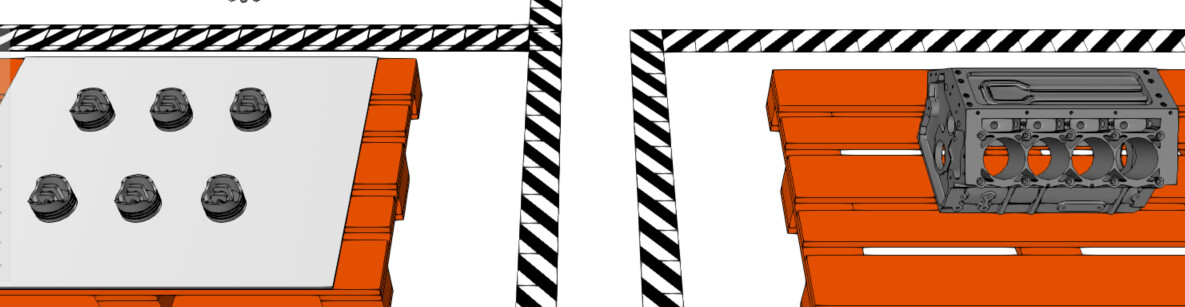
I’m trying to figure out a way to pick up multiple products at once for an assembly and place them in sequence & position within the target assembly. For example, it I wanted the robot to pick all 6 pistons from the pallet simultaneously (not one at a time), and then sequentially load them into the engine block in the correct positions (one at a time).
My true application would include different product types, so I hope the solution would be the same. But I cannot figure out a way to use process modelling to achieve this. I want this to be for a layout that will be re-used for different projects by re-defining the assemblies for each project. Hopefully without having to teach custom pick/place programs for each one.
Hello,
One way to achieve this is assigning OrderIndex of different slots within same assembly steps as an equal value (in engine assembly, make sure that all assembly slots with pistons are defined in the same assembly step, and set OrderIndex as 1 for all of them). This causes the product needs to be active at the same time, which enables transporting it multiple products at the same time.
Then in the feeding end (pallet unloading) you also need to have product feeds active in parallel. If the pallet is also an assembly, you can set the OrderIndex of all assembly slots with pistons as the same value, so they can be disassembled simultaneously.
Try this first with interpolating transport (without any transport controller). When the products are transported many at the time, you can then introduce the robot transport controller. It has property Capacity in tab Transport that you need to increase from 1.
Thank you, this works but I was hoping to be able to pick the entire array of pistons at once. Right now, the robot grabs them one at a time and they end all in the same position over top of one another. I was hoping for all of the parts to stay in the grid arrangement and then be placed sequentially into the engine. Imagine a grid of suction cups, one for each piston. Would it be possible to do that?
I’ve tried increasing the grasp container and enabling MultiGrasp but it still just picks one at a time.
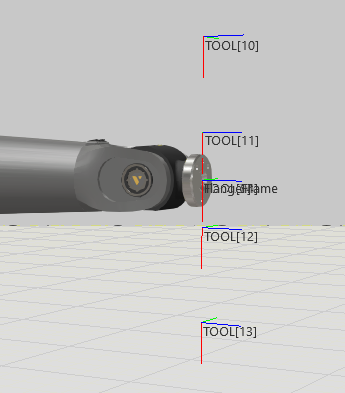
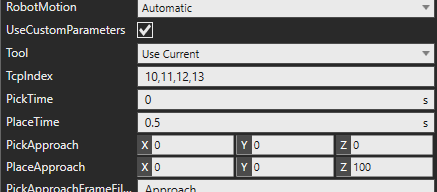
Use custom parameters in the transport link. For TcpIndex, use the indices of the modified tool frames separated with a comma, so the robot will use these tool frames for transporting.
Put PickTime as zero so the robot picks the products at one go.
Zero the Z coordinate of PickApproach so the robot does not retract between picking the different products.
This was an interesting question indeed. I have been wondering if this is possible with Robot TC, and apparently it is. Example attached. Pick multiple at once.vcmx (830.9 KB)