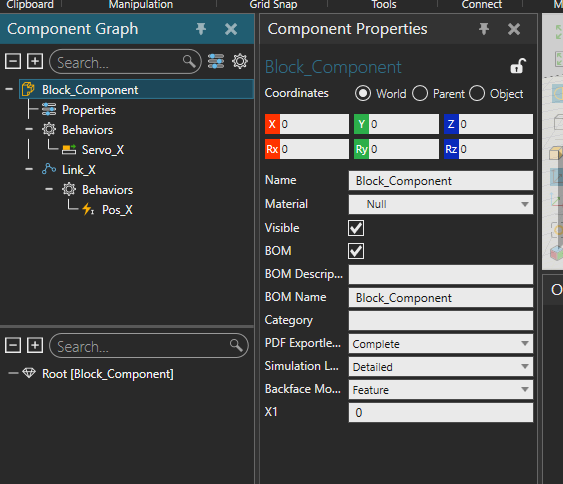
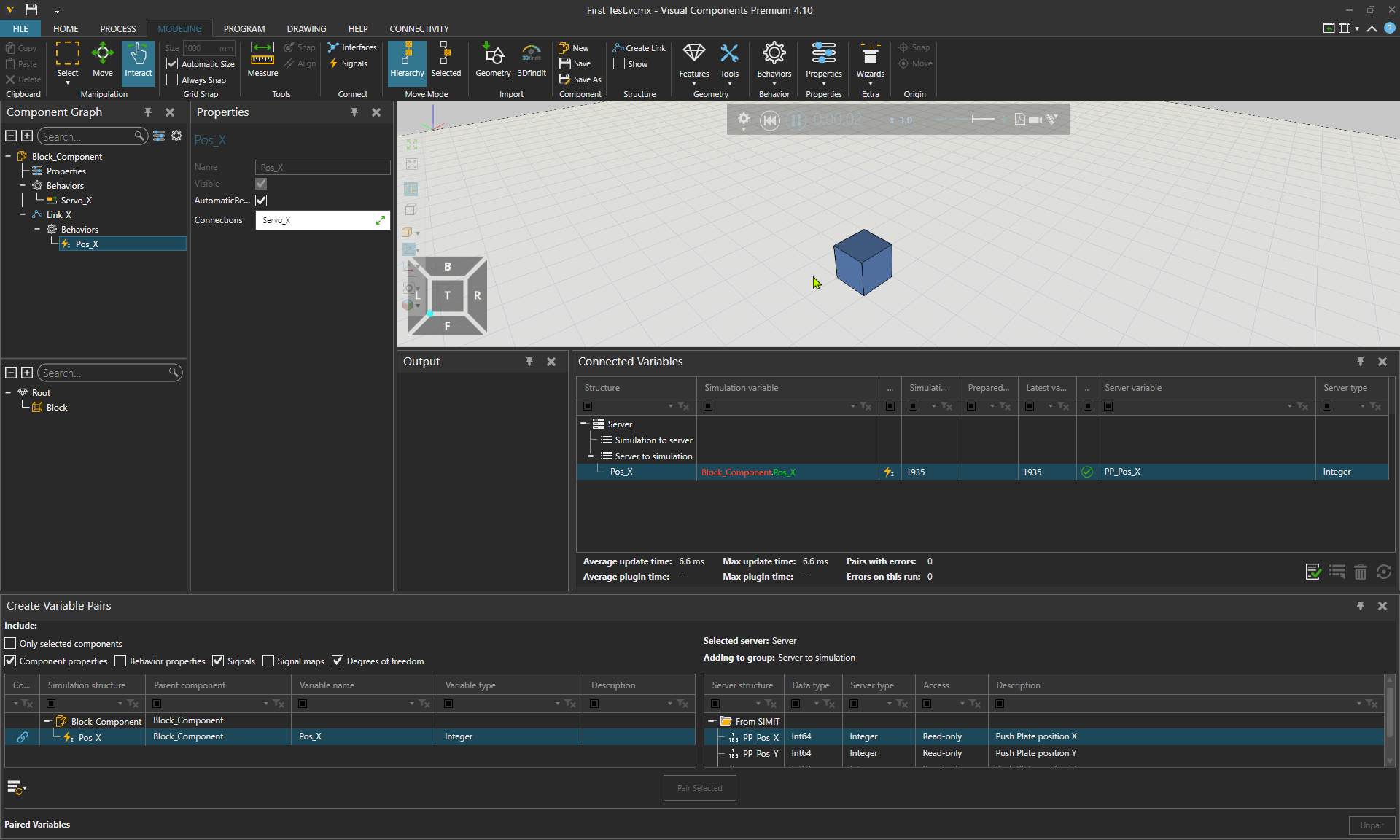
I am trying to move an object based on an external signal. This signal is coming from SIMIT SP 11.2 and the signal is working and changes dynamically when i change it from Simit.
I’ve tried to move the object by using Links, servos and signal mappings and python scripting, but i have not yet succeeded.
What would be the easiest way to make this work?
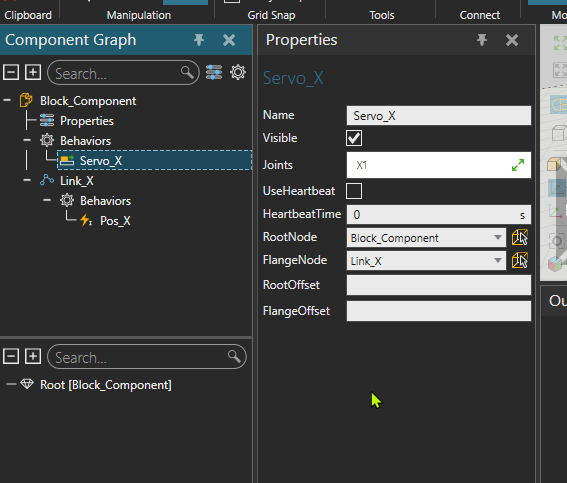
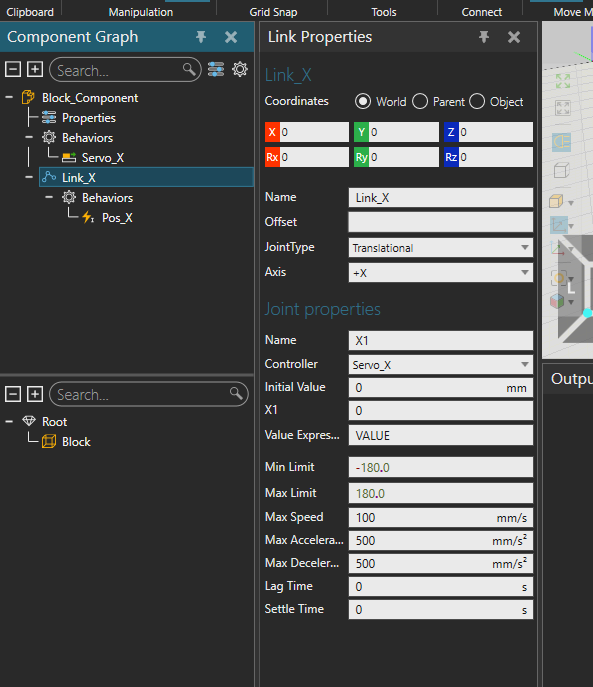
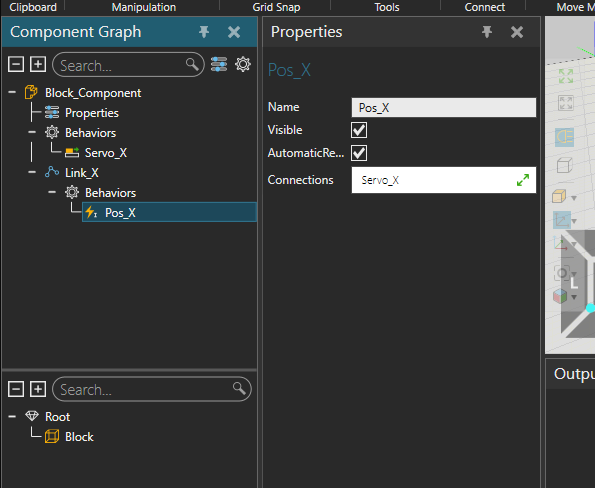
This is the current setup i have. I have tried to do it without python as im not super strong in python programming and would need to use vibe coding. however i’ve not had any luck with vibe coding.
Hello,
If you want the link to move immediately, you can simply pair the server variable with attribute VALUE of joint X1. If I remember correctly, you need to have both Behavior properties and Degrees of freedom selected from the Create Variable Pairs to display these under the servo controller.
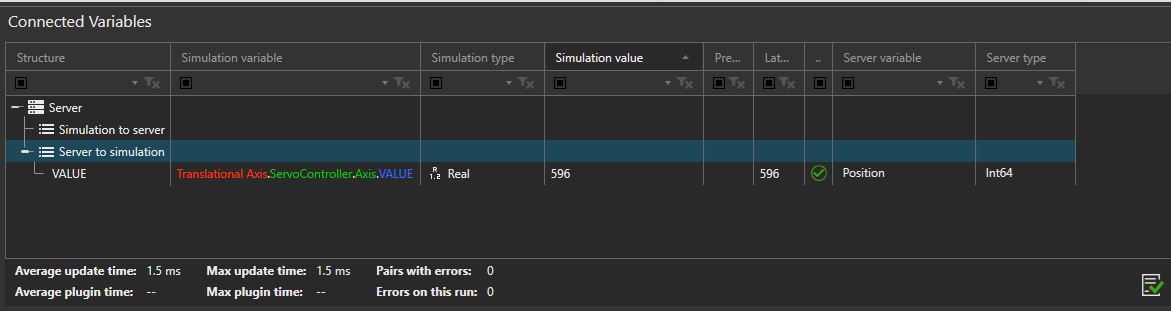
If you want to use the external signal as a motion target (and drive the servo to that target using the velocity, acceleration and deceleration defined in VC), I’d recommend that you use the existing component Translational Axis from eCat category Signal Positioners for this purpose. Change the property Mode from Index Signals into Axis Signal, and it drives to position given by the signal.
Im wondering if i explained myself properly in the post.
The signal coming from SIMIT is an integer somewhere between 0 and ~10000. This value corresponds to Millimeters that a plate has to move. everything is calculated in SIMIT.
I just need to “Attach” that value to something that can make the object in VC move. so if the value of the signal Pos_X is 1000, then the object should move 1m on the X axis.
Does this explanation change what you would have written or would you still suggest trying it out?
Hello,
Is the signal coming from SIMIT the joint’s current position, or the motion target where the servo should start moving?
I still stick to my previous reply. Both options are rather easy now that you have the connection already set up, so you can try both if you are not sure which one it would be.
As the server variable is in millimeters, you can directly pair it with the joint value or a Real-type signal as they are also in millimeters. At least with OPC UA plugin, pairing and updates between int-type server variable and real-type simulation variable works perfectly, so I’d assume it’s as easy also with SIMIT plugin.