I’d like the Mobile Robot to execute transportation tasks according to an external Excel schedule that contains a timestamp, start point, and destination. (see below table)
So far, I know there might be two possible approaches but not sure if they are practical:
Feeder Table (CSV)
Convert the Excel schedule into a feeder CSV.
Each start–destination pair requires a separate product type and process flow, which results in roughly 2,000 product/flow setups in our case—making this approach impractical.
Excel Reader + Product Property Routing
Use the Excel Reader to load routing data, write these values into Product Properties, and let downstream processes route the product using Product Property Filters.
This works for routing, but it seems cannot trigger product release based on the timestamps in the Excel file.
I’d like to ask your help/suggestion on above approaches, or if there are any other solutions, thanks
Hi, for the second approach, with the Excel Reader, you can use “SimTime()” to get the actual time and wait until it’s time to create a new product.
One solution would be to use an If-loop in which you check if Timing <= SimTime()" . If yes you can create the product, if not wait 1s for example.
The other solution would be to add a Real-Property to the process to calculate the remaining time before you need to create a new product –> Delay = Timing - SimTime(). And then use a Delay in which you use this property as Expression.
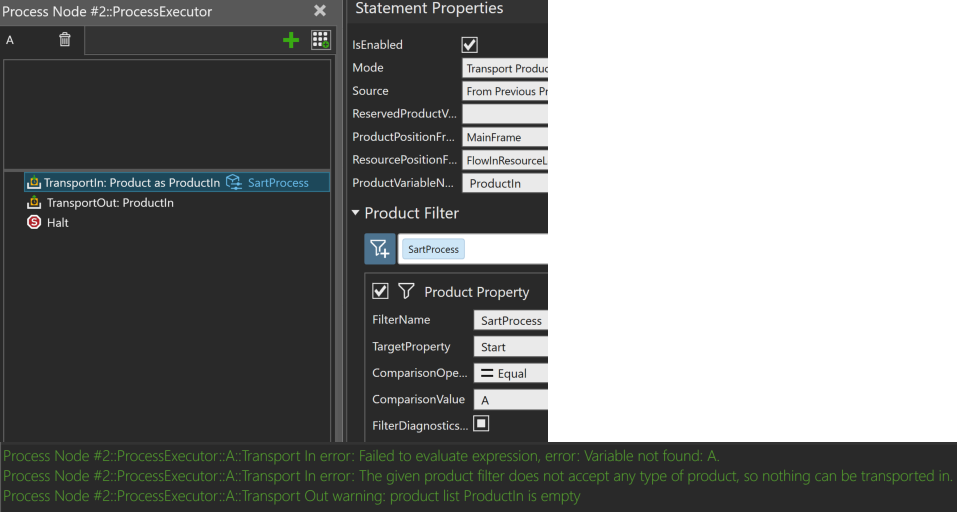
The product property NextProcess was just a test to transport the product to the correct Machine process using the property filters in TransportIn (NextProcess = Start at the begining, and after having been processed once, NextProcess = Destination). It might also be possible to use the GetFlowStep + SetNextFlowStep statements to adjust the flow for each product.
The statement SendSignal is used with the ExcelReader to read the next row of the table by triggering the signal “TriggerRead”.
I would also like to record the real robot pick time and the product arrival time and export to an excel, so that I can see what’s the delay. Do you know how to do? thanks.