Hello,
I’m facing an issue while using a turntable in Visual Components. When I change the ConveyorCapacity from 1 to 2, the simulation doesn’t behave as expected — something strange happens.
I’ve attached a video showing the problem for reference.
Could someone please help me understand if I need to change a setting or update the script?
Hello,
Unfortunately the turntable conveyor’s logic doesn’t support two products at once: the script expects one product to enter and one product to leave at the time. The strange product movement is because the second product follows the path that was connected for the first product by the ComponentFlowProxy behaviour.
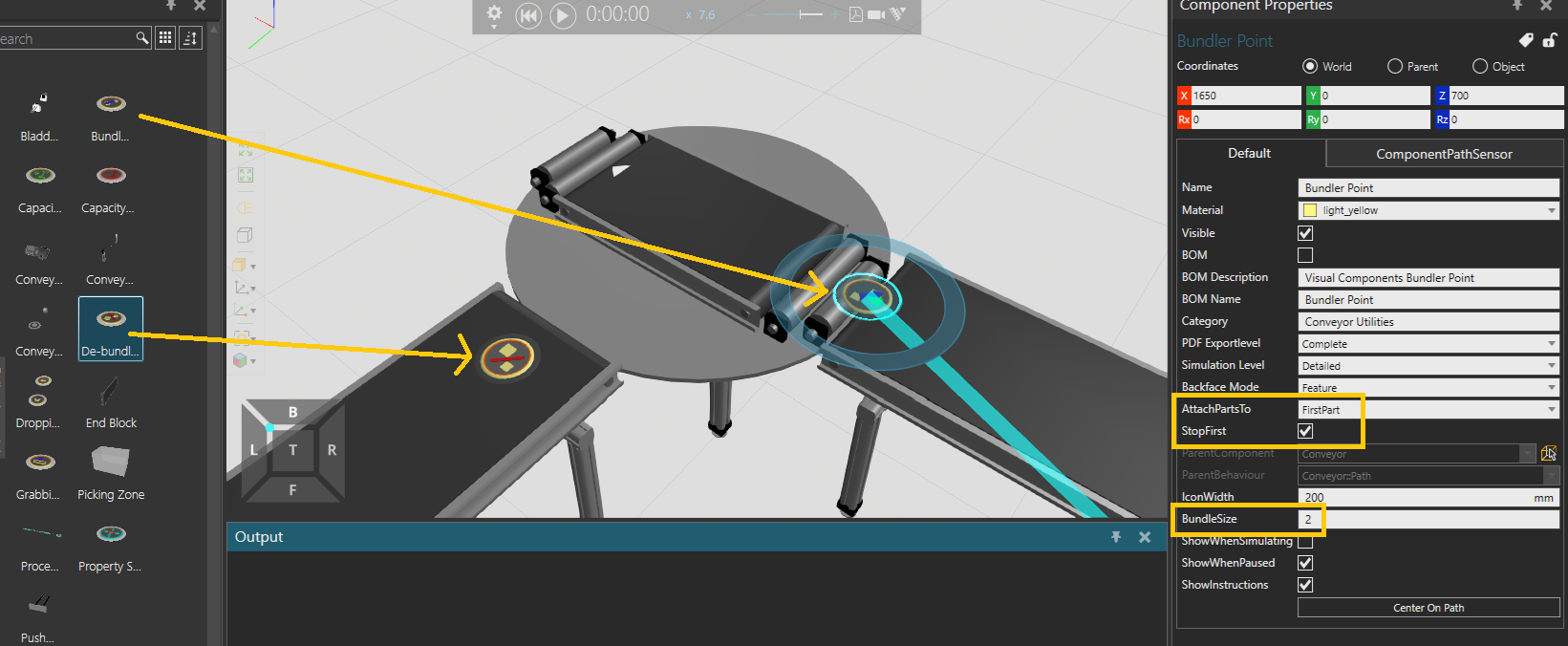
When the turntable takes 2 products in, will these 2 go to the same destination or to separate destinations? If they go to the same destination, there’s a possibility to bundle 2 products into 1 just before the turntable using Bundler Point component from Conveyor Utilities. Then after leaving the conveyor, there would be de-bundler point components on each conveyor. The turntable’s capacity is 1 in this case.
Thank you, it’s working now. What if I want to use separate destinations?
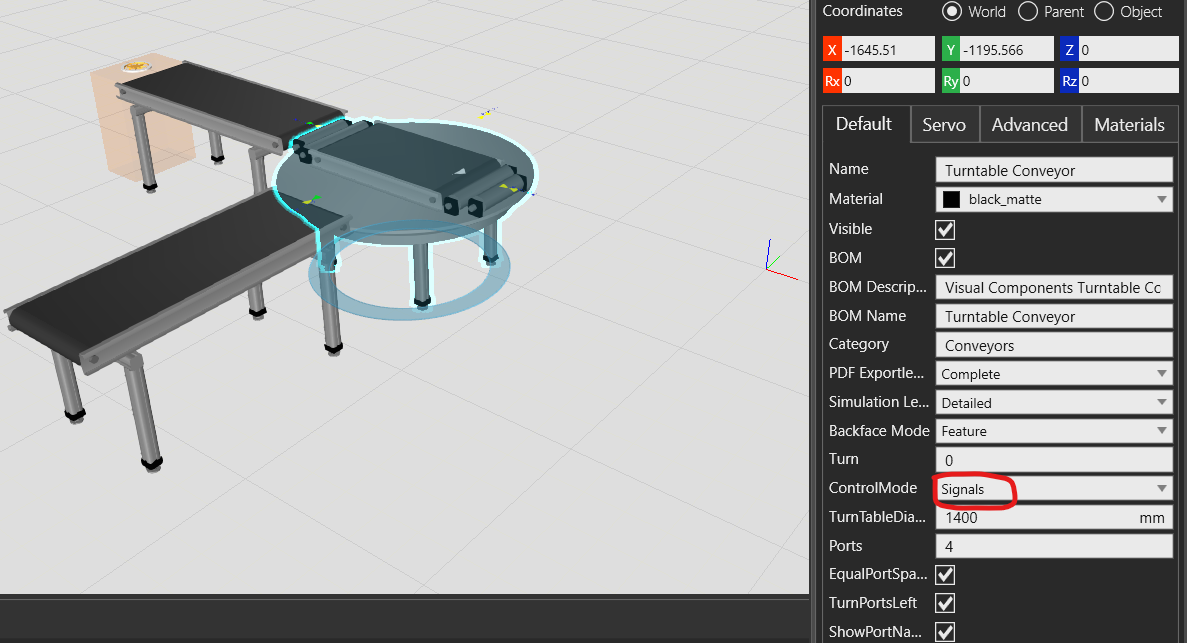
Also, when I set the ControlMode property of the turntable to Signal, nothing happens — the parts stop and no movement occurs.
Could you please explain how Signal mode is supposed to work, along with an example to help me understand the logic behind it?
Great to hear.
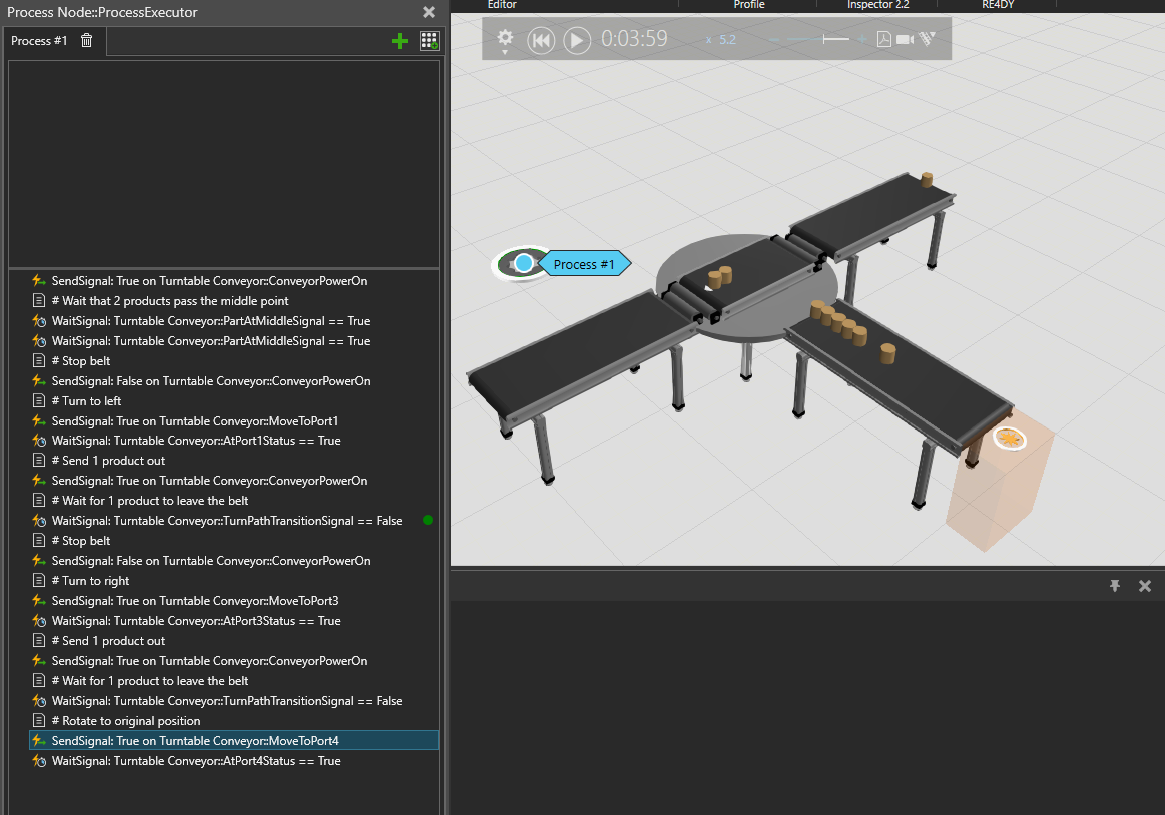
The signal control mode is intended for using the component with PLC connectivity. However, it can be also used by waiting and sending signals on a process node to define custom logic. In this case, we can use it for taking in 2 products and sending them to separate destinations.
The ConveyorPowerOn signal is False on default, and that’s why the products stop. I built a simple example for sending products to two different destinations:
We recently updated Turntable and Shuttle Conveyor components in 4.10 eCat to support signal control. Now Crossing, Lift, Shuttle and Turntable conveyors all support controlling via signals. It’s very powerful in defining custom logic, as scripting these components with custom logic from scratch would be very laborous.
Thank you for your support. Now I am able to understand the logic.
I also want the turntable to allow input from all directions. However, when I placed an input conveyor at port 2, it did not allow the product to enter.
I would like to remove the direction symbol. Is there any script I need to modify to allow input from port 2?
The belt has a one-directional path, so it accepts input from only one end.
You’d have to modify the statements for moving the turntable (the last 3) for turning to port #2. Also move them from the end into the beginning. My example assumed that the products come from the side where the turntable is initially, so it’s rotated back in the end.
You can hide the direction symbol on the Modeling tab.
Thank you for your support. I need the turntable to accept input from all directions. When I have also set the ControlMode property of the turntable to Routing Rule.
I noticed that in the reference model “Easymove Turntable Conveyor,” it accepts input from all directions, which is exactly what I need.
Is it possible to configure turntable conveyor to work the same way? Do I need to modify any script to achieve this behavior?
I am now confused. Easymove turntable has also a one-directional path, and the functionality is exactly the same as in the generic turntable (except that it’s missing the signal control). In your latest video the turntable does not take in products from it’s end, and the belt goes always to the same direction.
Also your previous video with the generic turntable does not work the same way as the turntable in eCatalog: the products should go on the turntable as soon as the turntable has rotated to the correct direction. Did you modify the script already? If not, try PnPing it off from the conveyors and back again. Also check using Signals editor that the power is on when the turntable doesnt seem to accept products.
One clarification to the signal control logic that may have caused confusion in this case:
The signal to rotate the table to port #2 acts as follows:
-If the belt is empty of components, the table is turned so that start of the belt aligns with port #2, and the arrow is facing port #4
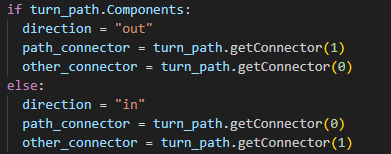
-If the belt has components, the table is turned so that end of the belt aligns with port #2, and the arrow is facing port #2. This is done by adding 180 to the rotation angle in the script.
The easymove turntable has this same logic.
I hope this solves the problem. If not, please contact the support of VC or the support of a regional reseller in case the license is purchased from them.