Hello,
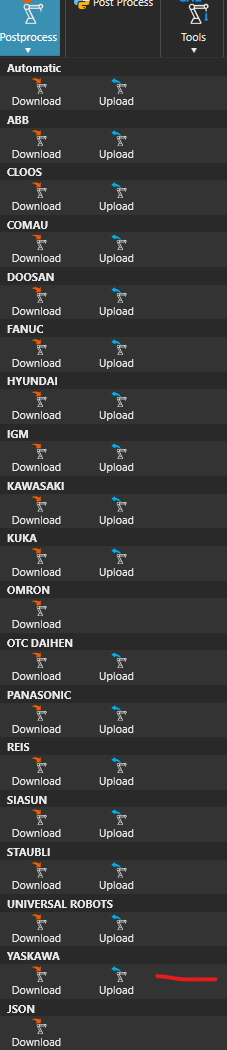
sorry for replying this late. So I tested it also with the OLP version but still get the exact same error. This makes sense since the import function in “normal” VC should be the same, isn’t it ?
At least it looks the same. Perhaps it has something to do with the Yaskawa program file. I pastet the JBI information below.
/JOB
//NAME MEMB-DEMO
//POS
///NPOS 0,0,0,7,2,0
///TOOL 0
///POSTYPE BASE
///RECTAN
///RCONF 1,0,0,0,0,0,0,0,0,0,0,0,0,0,0,0,0,0,0,0,0,0,0,0
P00007=3464.795,0.000,764.000,180.0000,0.0000,-90.0000
///POSTYPE ROBOT
P00044=287.238,2343.682,-217.373,-179.9995,0.5089,-90.0159
///RCONF 1,0,0,0,1,0,0,0,0,0,0,0,0,0,0,0,0,0,0,0,0,0,0,0
P00045=287.171,2343.939,134.139,-179.8076,-0.0041,-90.0067
P00046=286.721,2343.827,-171.517,-179.9982,0.2191,-90.0170
P00048=1615.135,-682.611,-44.347,-179.8140,0.1787,-90.1310
P00049=1615.162,-682.672,-163.937,-179.8099,0.1773,-90.1300
///POSTYPE BASE
///RCONF 1,0,0,0,0,0,0,0,0,0,0,0,0,0,0,0,0,0,0,0,0,0,0,0
P00050=1014.593,-2238.248,-240.278,-179.6591,-0.0355,-89.6049
///RCONF 0,0,0,0,0,0,0,0,0,0,0,0,0,0,0,0,0,0,0,0,0,0,0,0
BP00000=1914.796
BP00001=-1144.655
//INST
///DATE 2025/05/06 09:44
///ATTR SC,RW
///GROUP1 RB1,BS1
NOP
MOVJ P007 BP000 VJ=10.00 //HOME
WAIT IN#(35)=ON
MOVJ P045 BP000 VJ=10.00 //MEMB OBEN
MOVL P044 BP000 V=66.7 //MEMB UNTEN
DOUT OT#(37) ON
WAIT IN#(39)=ON
MOVL P046 BP000 V=2.5 //MEMB UNTEN HUB
MOVL P045 BP000 V=50.0 ACC=20 DEC=20 //MEMB OBEN
MOVJ P050 BP001 VJ=50.00 ACC=20 DEC=20 //MEMB ZW
MOVL P048 BP001 V=800.0 ACC=20 DEC=20 //MEMB MP2 OBN
MOVL P049 BP001 V=8.3 ACC=20 DEC=20 //MEMB MP2 UTN
DOUT OT#(37) OFF
WAIT IN#(40)=ON
MOVL P048 BP001 V=83.3 ACC=20 //MEMB OBN
MOVJ P007 BP000 VJ=10.00 //MEMB HOME
MOVJ P045 BP000 VJ=10.00 //MEMB OBEN
MOVL P044 BP000 V=66.7 //MEMB UNTEN
MOVL P045 BP000 V=50.0 ACC=20 DEC=20 //MEMB OBEN
MOVJ P007 BP000 VJ=10.00 //MEMB HOME
END
Maybe someone can help with my problem.
Best ragards and a nice week
maru