How to make gripper release before 150 mm to target position

Hello,

I want my robot gripper to release the part 150 mm before reaching the target position, but the product should reach the target place by itself after release.

What is the best way to achieve this in Visual Components?

Please share if you have a simple example or idea.

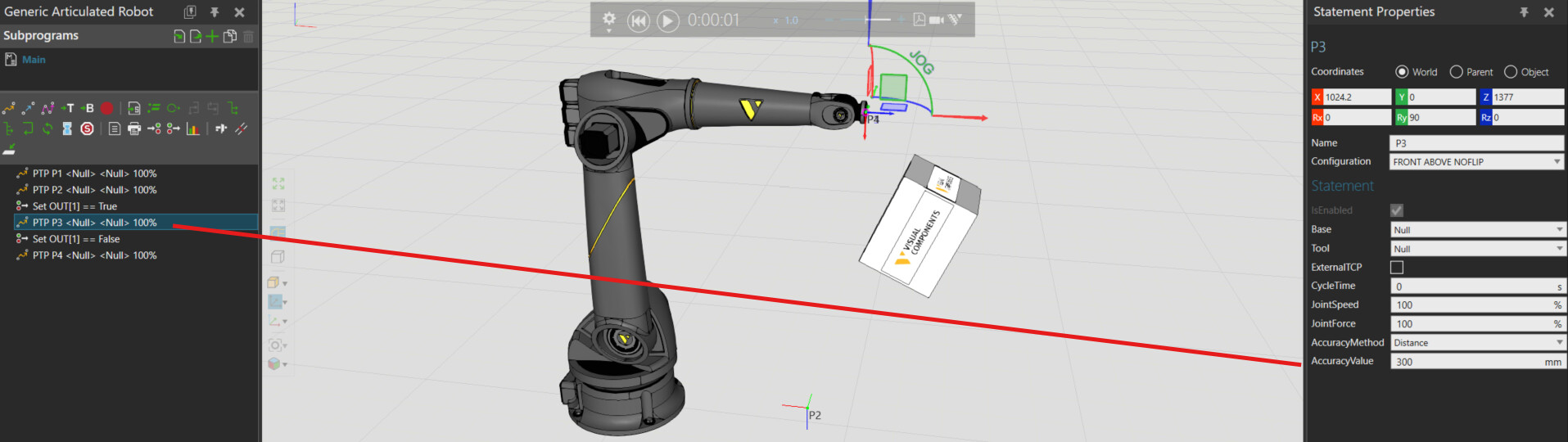
Have you tried to use the robot motion accuracy value to trigger the release command 150 mm before the target is reached?

You probably need to use some scripting trickery to force the position to the desired position if the default release location is not ok.

1 Like

Or if you are using Process Modelling, you could have a process node 150mm above the target process. The robot will place the product in the upper process and an Interpolating Transport with a reduced transport time can be used to make the product go into position.

You can hide the process during the simulation with the property “ShowWhenSimulating in its property panel.

1 Like

I haven’t tried using the robot motion accuracy value to trigger the release. Could you please give a simple example?

Thanks for this suggestion

AccuracySample.vcmx (610.0 KB)

1 Like

Hello ,

I’m using a Box Gripper in my Visual Components simulation, and I want the product to fall into the pallet placed directly.

The product height is 250 mm, and I want the gripper to release at 250mm height, so the product drops into the correct position on the pallet.

I tried adjusting the accuracy value, but then the product is not placed at the correct location.

Also, when I use the GetProperty method, the gripper works fine — but when I control it through a program, the gripper does not release properly.

Could someone please help me?

Falling Product.vcmx (596.7 KB)

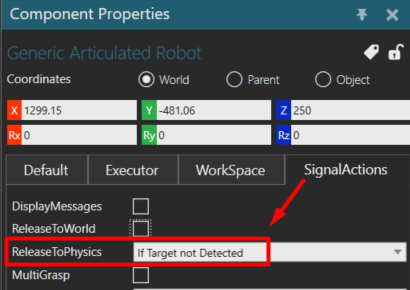
If you want the Boxes to fall, then you need to release them to Physics. There is a property on the robot for this.

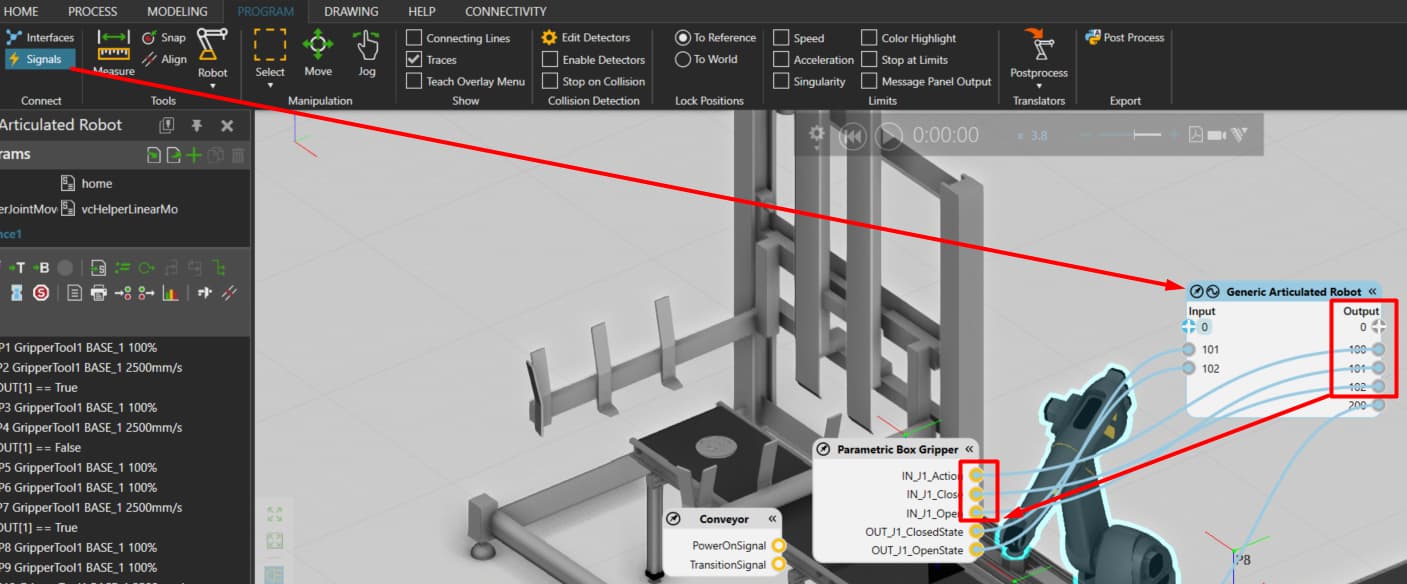
As for the gripper, check the signal ports connected to it and set those signals to True/False. In this case, the signals are 100-102.

1 Like

Now I can make the pallet behave as a physics object, but when the assembly is removed in the sink, only the pallet was removed — the boxes remain. Please help me fix this.
1 Like

Falling Product _sample.vcmx (1.6 MB)

I added a volume sensor and some extra Python scripting to detect the boxes and then attach them to the pallet. I hope it does the job.

2 Likes