Hi all,
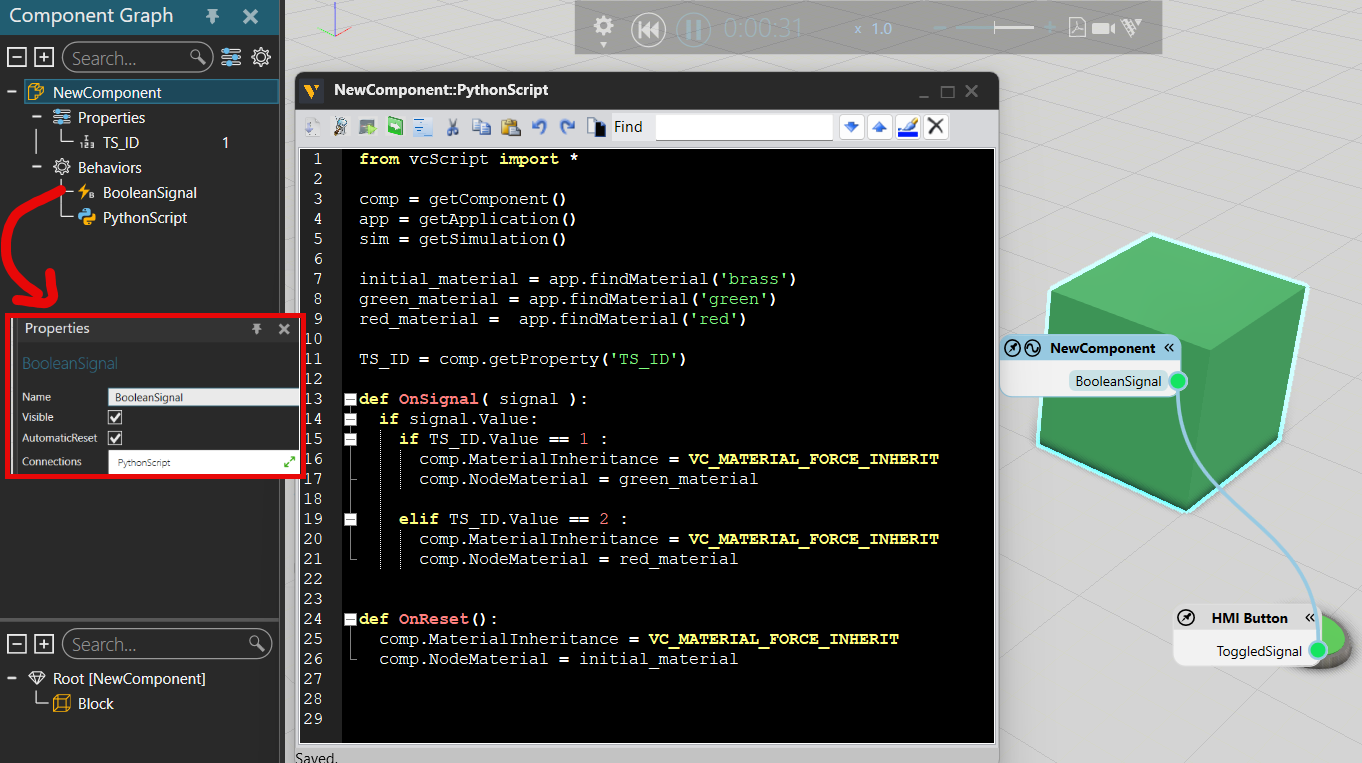
How would the python script for part look look if I wanted the material of a part to change colour to either green or red once a HMI Button is pressed. The original colour would be brass and each part as a property has the ID 1 (for green) or 2 (for red), which has to be manually inputted before the simulation and changes to the corresponding colour once the button is pressed.
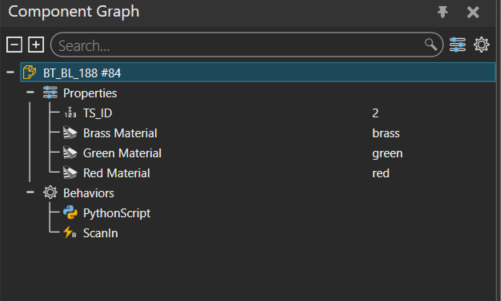
This is how my python scripts look for the part looks (currently trying for one part). the part is brass when the simulation starts but stays brass when the button is pressed:
Part:
from vcScript import *

comp = getComponent()

def apply_material_recursive(node, material):
    node.MaterialInheritance = VC_MATERIAL_FORCE_INHERIT
    node.NodeMaterial = material
    for child in node.Children:
        apply_material_recursive(child, material)

def set_self_material(material):
    if material is None:
        return
    apply_material_recursive(comp, material)


ts_id_prop = comp.getProperty("TS_ID")            # Integer: 1=green, 2=red (set manually)
brass_prop = comp.getProperty("Brass Material")   # Ref<Material>
green_prop = comp.getProperty("Green Material")   # Ref<Material>
red_prop   = comp.getProperty("Red Material")     # Ref<Material>

def set_brass():
    set_self_material(brass_prop.Value)

def reveal_color():
    ts_id = ts_id_prop.Value
    if ts_id == 1:
        set_self_material(green_prop.Value)
    elif ts_id == 2:
        set_self_material(red_prop.Value)
    else:
        set_brass()

def OnReset():
    set_brass()

def OnStart():
    set_brass()

def on_scan(signal):

    if signal.Value:
        reveal_color()

scan_in = comp.findBehaviour("ScanIn")  # Boolean Signal on the TS
if scan_in:
    scan_in.OnValueChange = on_scan

# Initial state
set_brass()
Thanks in advance!