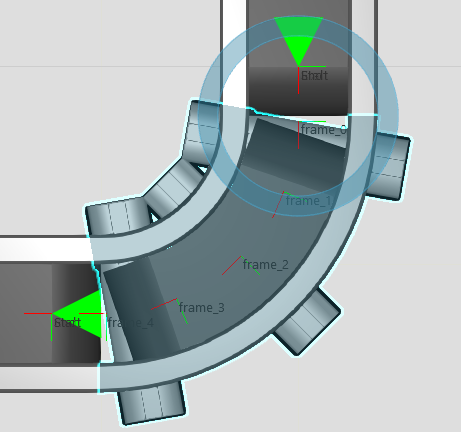
i have a question about the VC Conveyor behaviors.
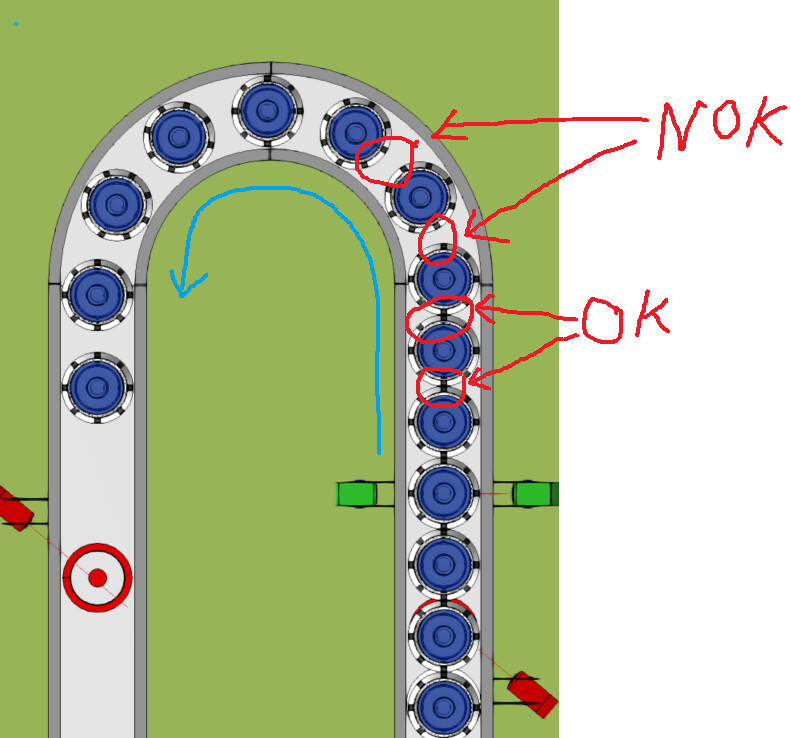
If use a straight piece of conveyor, products arrange close after each.
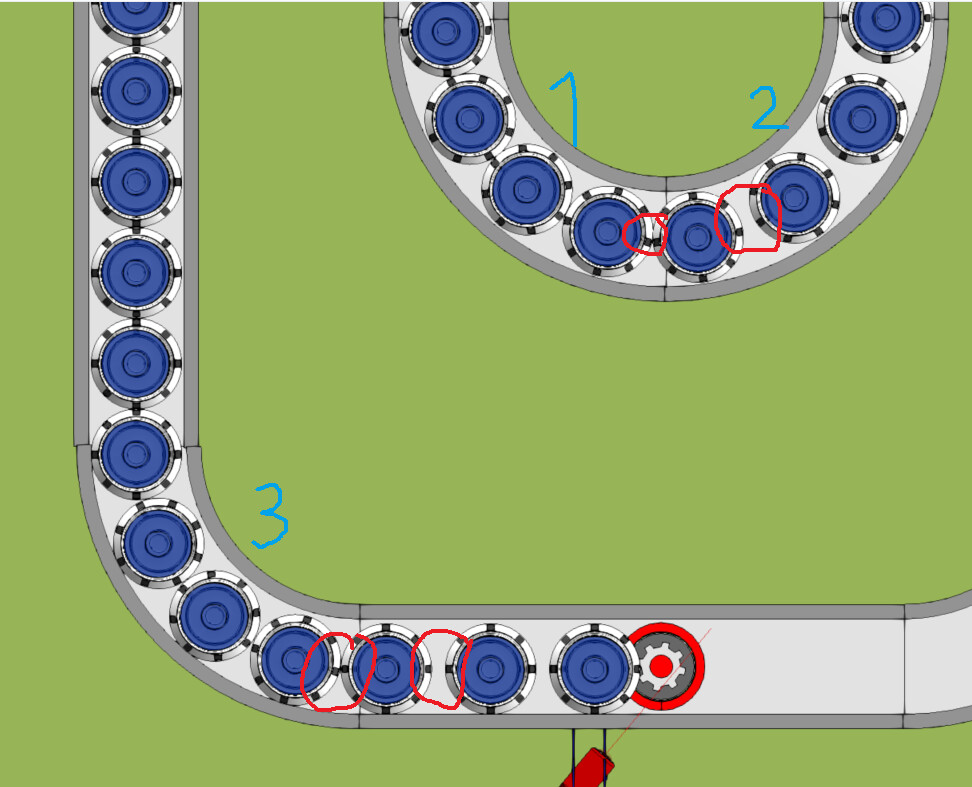
If this “batch” of products runs into a curve, it creates a distance.
For my application this is not good and i do not understand if there is any parameter that i need to change to change this behavior to act in the same way than the straight pieces.
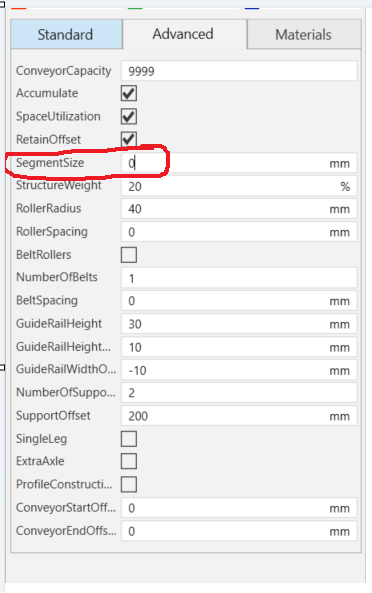
I do not have answer to your question. But have a broader question along the same line: How to generally set/ manage minimum distance between products on a conveyor? Maybe someone knowledgeable about the topic can answer this as well. Thanks!
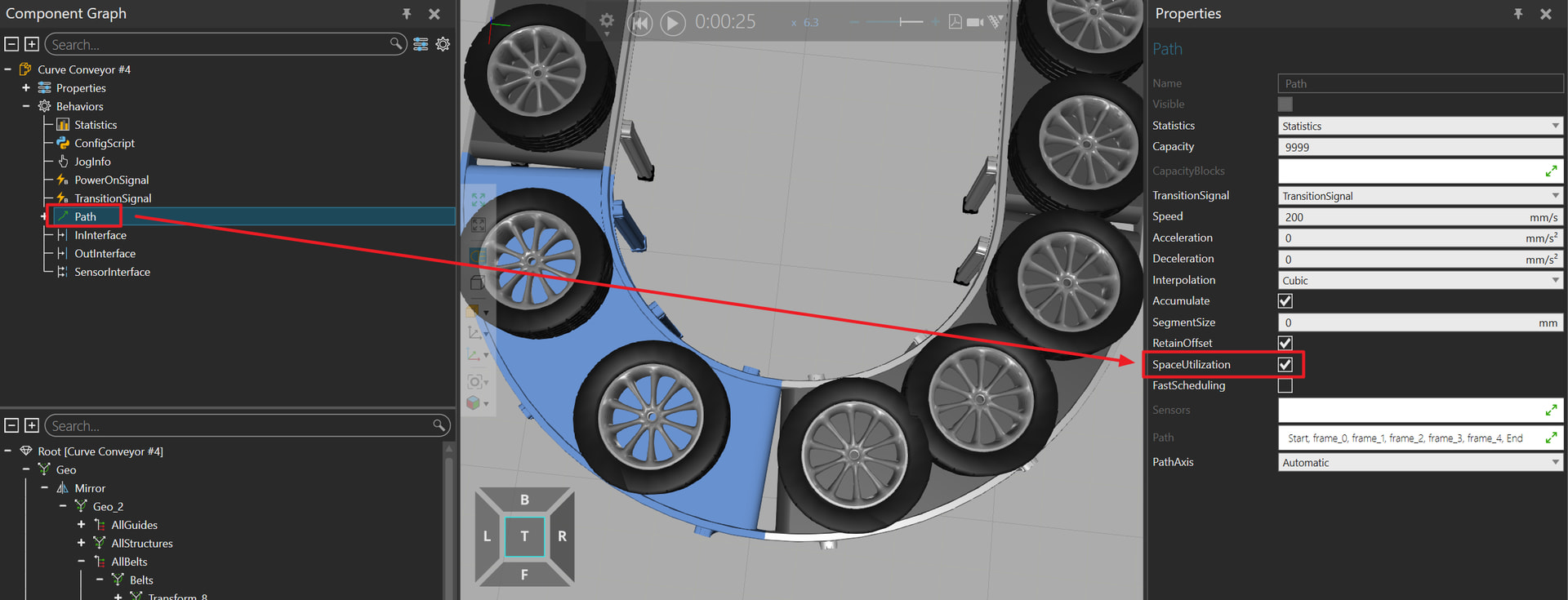
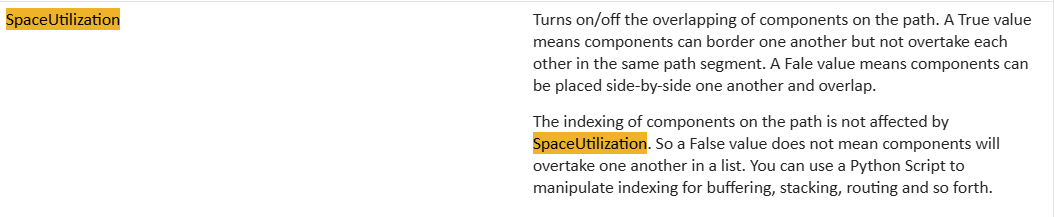
yes, i already tried this, but deactivating “SpaceUtilization” Parameter causes a lot of weird situations when entering Conveyors with “Space Utilization” acitviated and at all my Process Points where i handle the Products on the conveyor (like stopping, moving from Component Container to a Proces Step)
Thanks! So if my conveyor is 1000 mm and I set the segment size to 100, there will be 10 products on the conveyor with distance between front edges of two products = 100 mm, right?
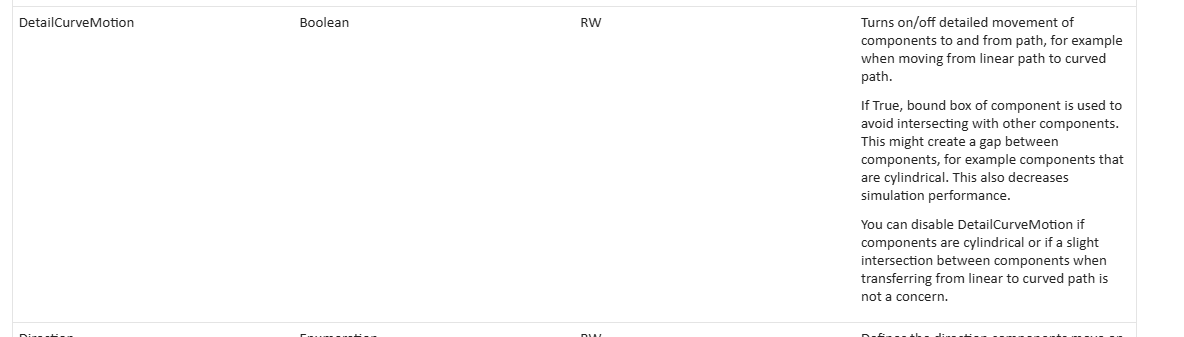
now i tried to set DetailCurveMotion to False on Curve 1,2+3. Now the Product run into the curve without gap, perfect. But a the end of the Curve the gaps get created.
This happens on both lines, although there is another curve after (which has also the parameter disabled) or there is a straight Piece…
Unfortunately setting the DetailCurveMotion as false for also the straight section does not fix it.
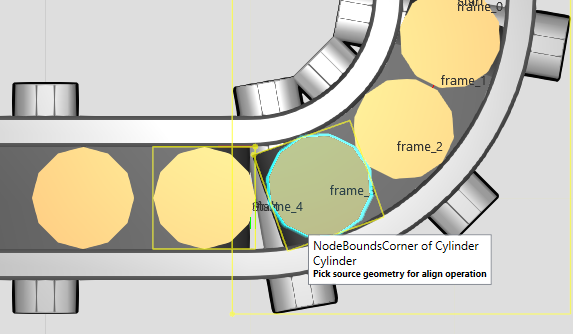
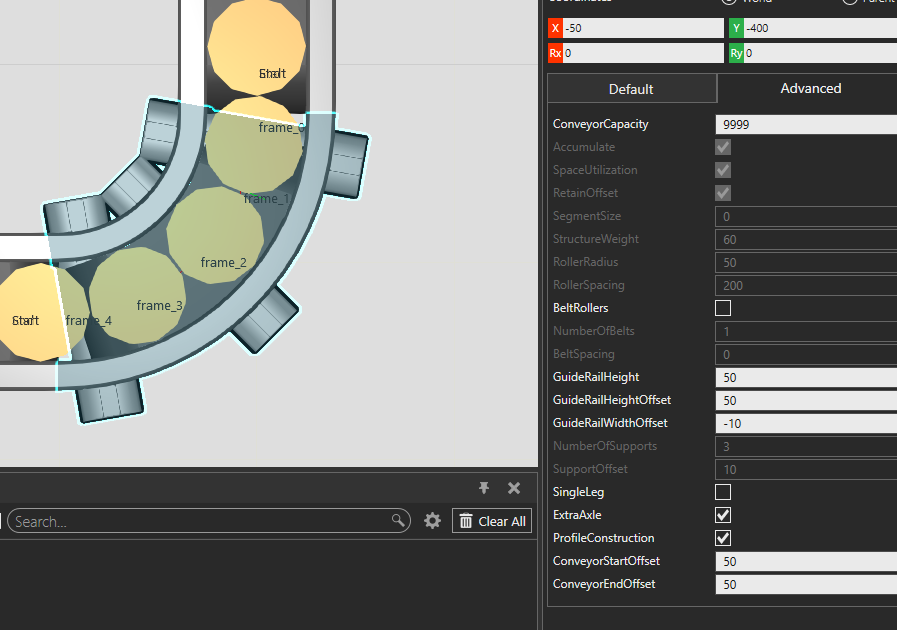
In case of VC-branded library conveyors, you could adjust the ConveyorStartOffset and ConveyorEndOffset parameters of the conveyors so that the PnP interface’s frame is offset a little bit from the start/end of the conveyor. This way the curving path will go straight a few dozen millimeters more before the products flow from the curving path to the straight path.
Or if the conveyors are proprietary models, just moving the first and last path frame of the curve will do the same.