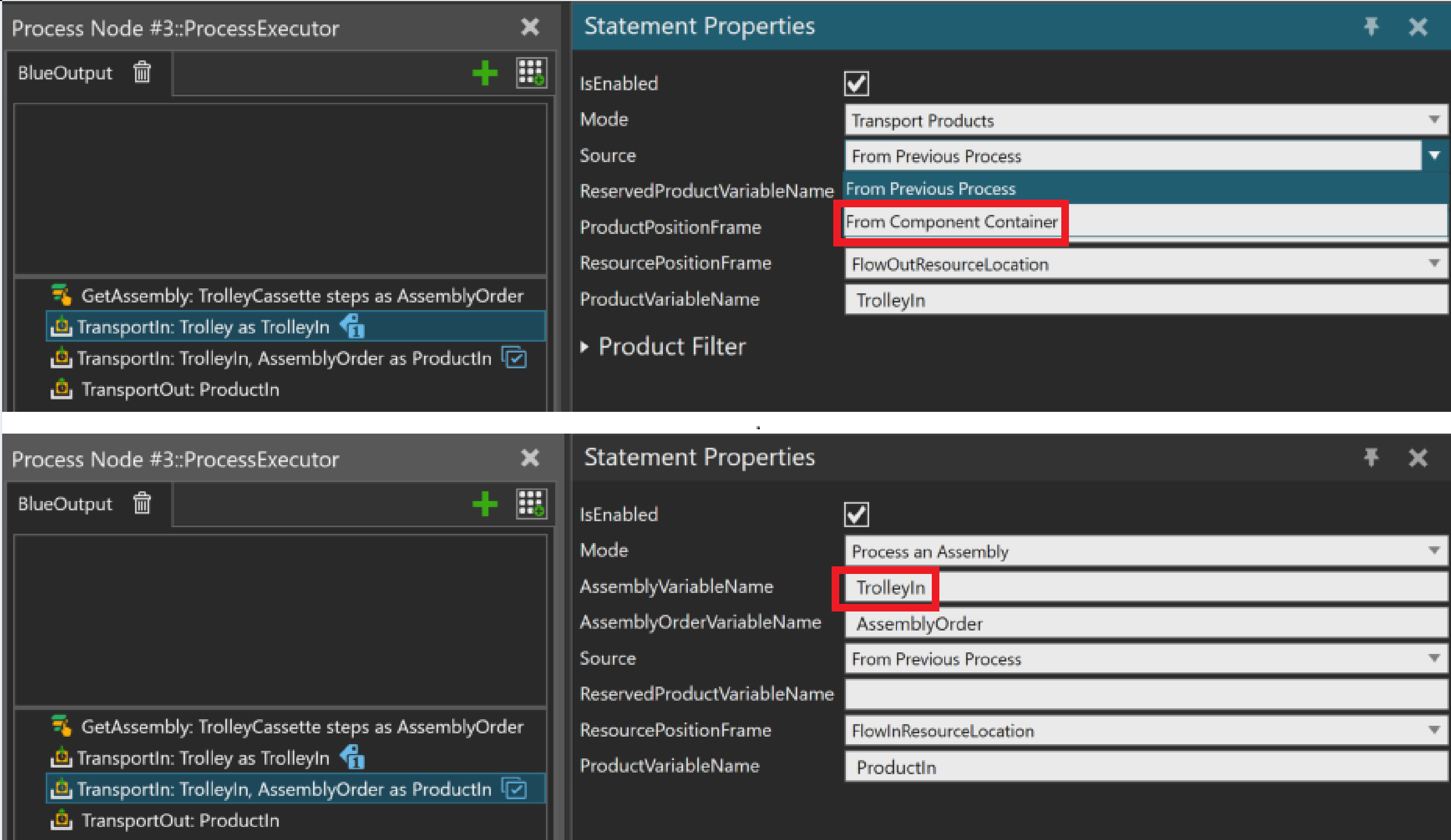
I’m working on Process Node assembly, please see the image on the top, when I choose “From Component Container”, there’s no error pops up. However, there’s no conveyor in my case, that I need to choose “From Previous Process”; Errors pop up when simulation run.
Hi Gene, so this error indicates that the “TrolleyIn” is a product and not an Assembly (for example, the first step of the assembly, with the information relative to the other steps which will be added to it).
There is two way of doing an assembly.
Either you create the Assembly with only the first step (with a Create statement), which will have the information needed for the next steps → see the Layout Template “Assembly - Palletizing” → Process “Creator”
or you can use an empty “AssemblyVariableName” → see the Layout Template “Assembly - Brick Example Layout” → Process “Assemble1”
or the “Construct” statement to create an Assembly from different products → see the Layout Template “Assembly - Brick Example Layout” → Process “ManualProcess”
I usually prefer the first method → creating the first step of the Assembly
For the first method, as I mentioned in the beginning, there is no conveyor in this case, so I can’t choose From Component Container as Source in TransportIn.
As for the 2nd methods, I need to have two TransportIn for setting them into 2 different ResourcePositionFrame.
For the last method, I prefer not using it, since there is no workstation in my case.
Do you think the first 2 methods can still achieve what I’d like to model?
The first method also work without conveyor if you use “To next Process” and “From Next Process” in the TransportIn and Transport Out.
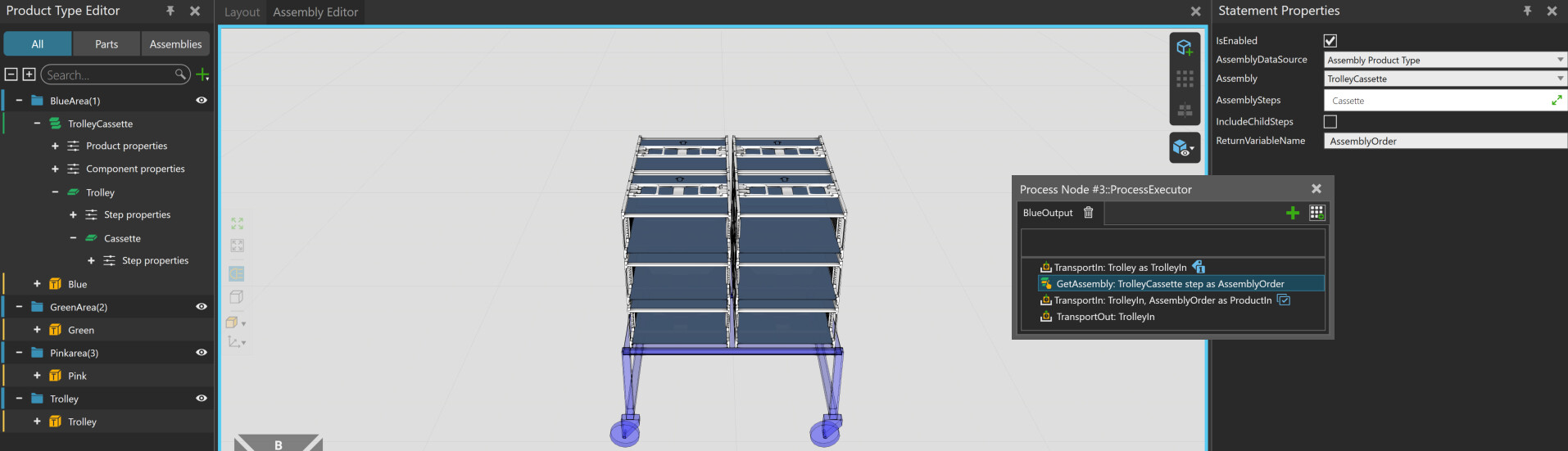
You could also keep using the product you have at the moment for the first TransportIn, and the use a Delete + Create statement to replace it with the Assembly in which you select just the first step.
Here are two examples (if you want to reuse the trolley or not):