I’m not sure if you want a different pattern on the AGV or in the process.
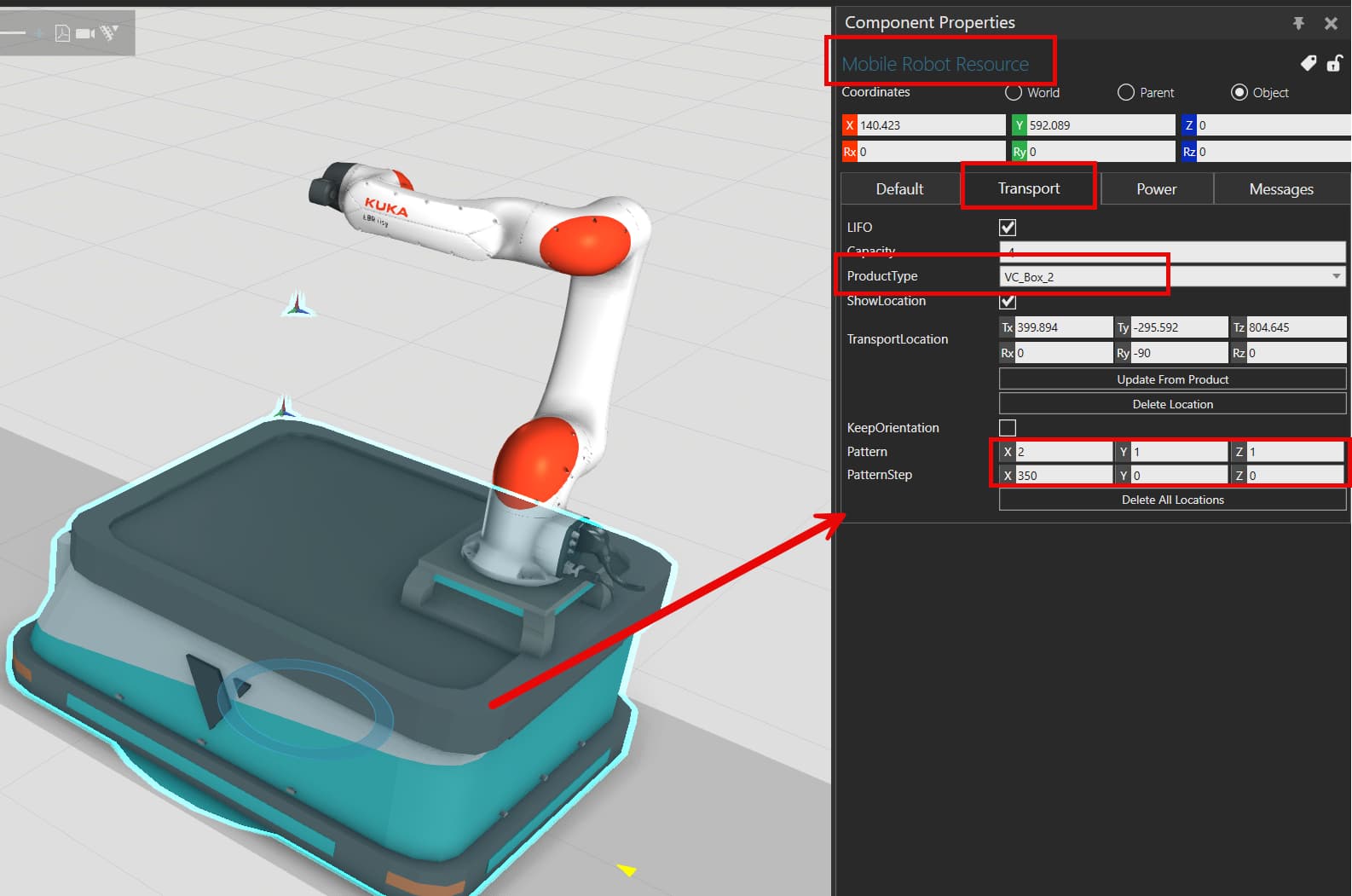
If it’s on the AGV, you can also define a specific location according to which ProductType is transported instead of the same for all:
- In the property panel of the AGV → Transport Tab → property "ProductType → choose “Add New”
- use the “Pick Product” property to select your product (the simulation should be paused to see it) or write its ProductType name under ProductTypeName
- With the ProductType selected, you can then define a TransportLocation and Pattern which will be used just for this specific ProductType.
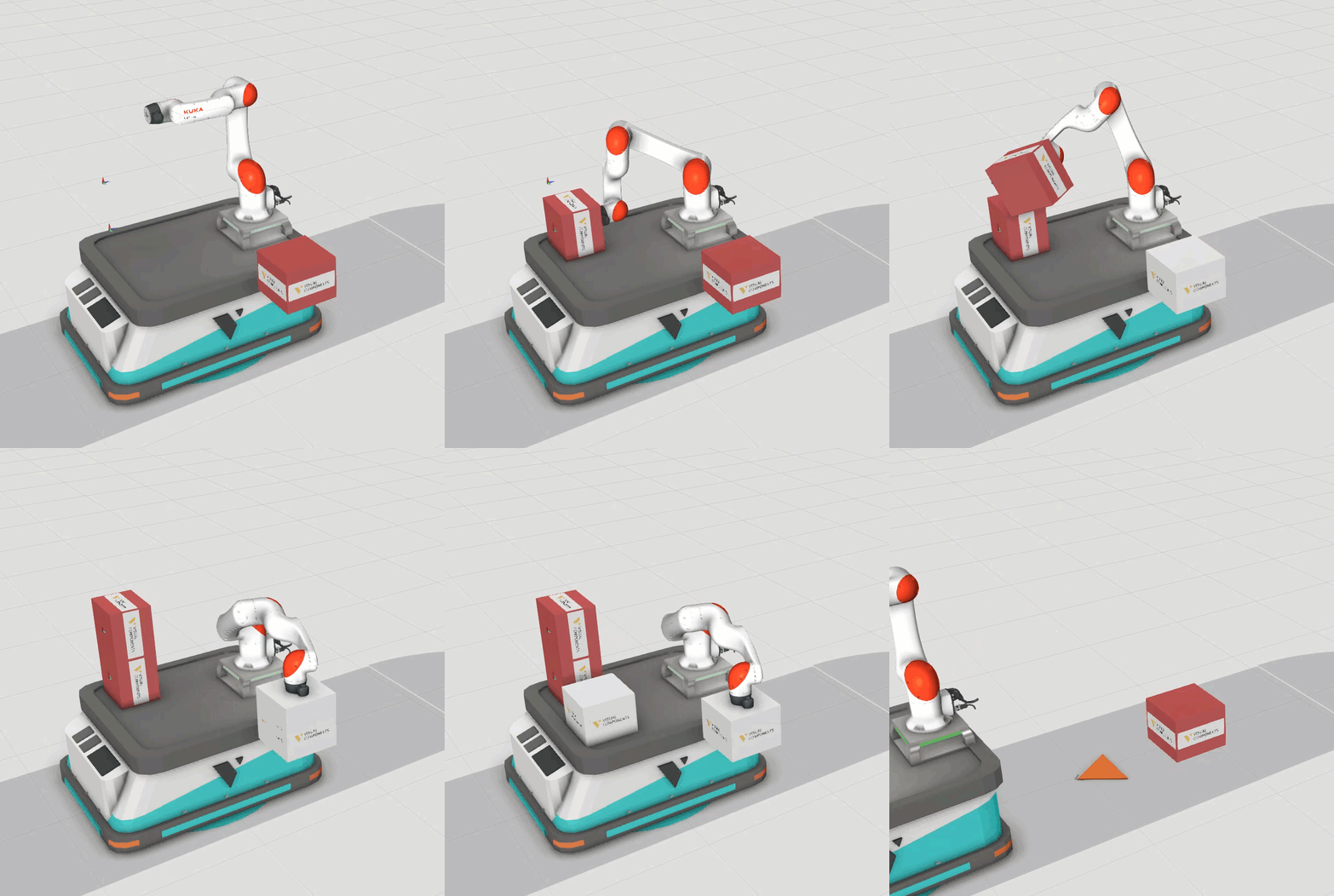
Layout_90deg Rotation_v2.vcmx (4.7 MB)
If it’s in a process, you can either define an Assembly, to position your product like you want when they come in, or you could create a frame (there is a “Create Frame” function in the Process tab) and choose it as “ProductPositionFrame” in the TransportIn.